Most directory websites are built one of two ways: a Google Sheet connected to a display tool (which breaks as soon as you need user accounts), or a full marketplace platform with features nobody uses. Tradly sits between them — a proper platform with configurable features, not an overbuilt one.
What Tradly is and isn't for directory sites
Tradly is a marketplace-first platform, which means listing management, user accounts, categories, search, and payments are core — not plugins. For a directory site, you configure which features to activate and leave the rest off.
- It’s not a limited no-code tool like Carrd or Webflow that can’t handle user-generated listings
- It’s not just a database display tool like Airtable + Softr
- It is a platform where listed entities can self-register, claim their profile, and manage their own listing
- It is a platform where you can charge for featured placement, premium listings, or leads
Core features for a directory website
- Listing profiles — rich pages per listed entity: description, images, contact info, location, opening hours, links
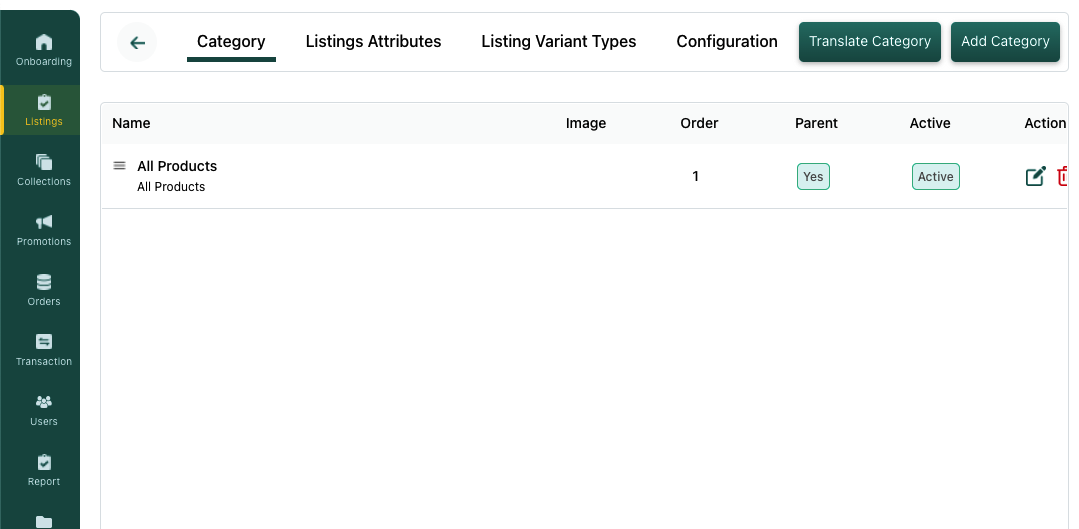
- Category taxonomy — up to 4-level deep category hierarchy. Configure it in SuperAdmin > Categories. Docs: Categories
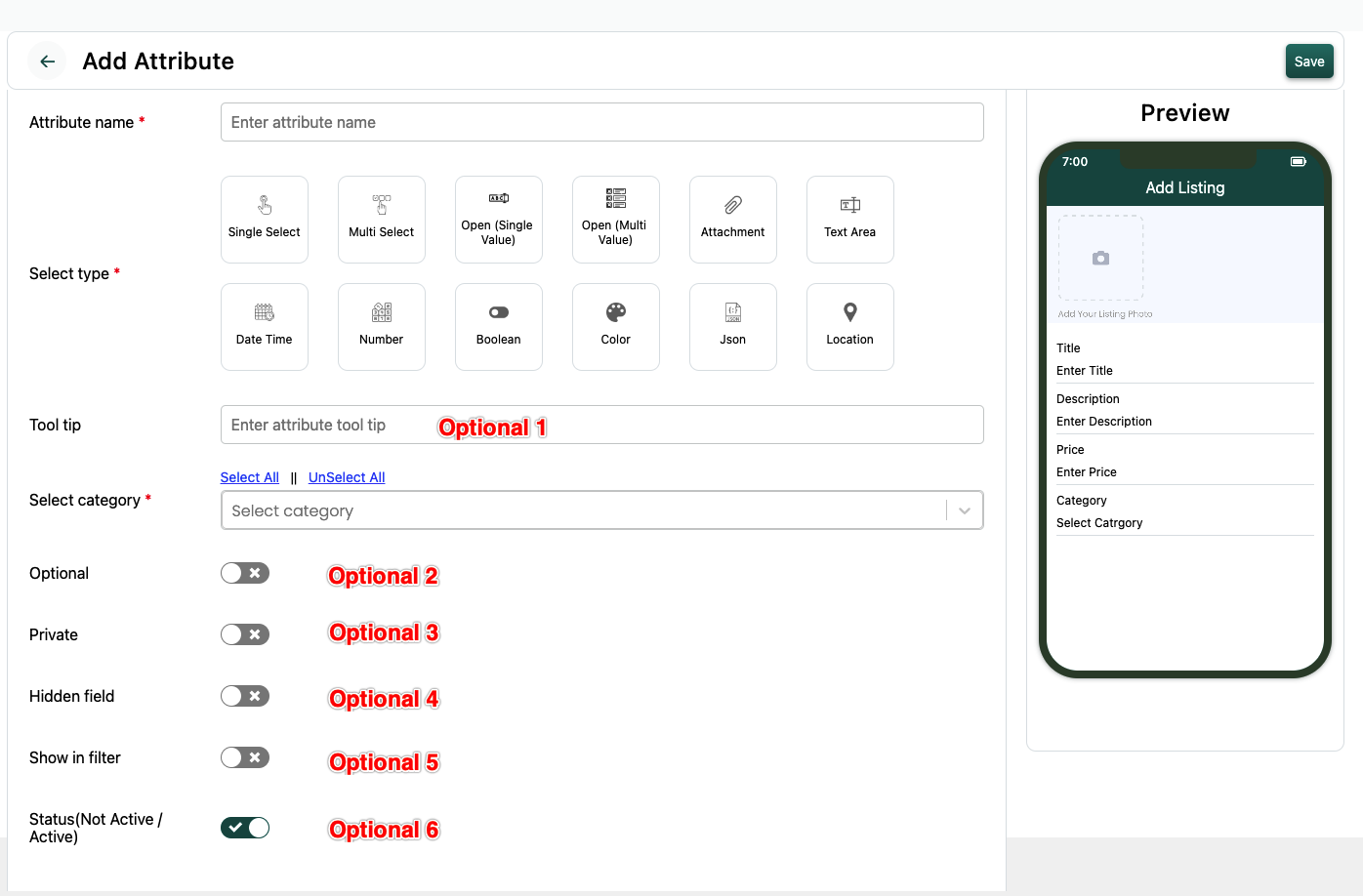
- Custom attributes per category — add the fields relevant to your directory type (for a restaurant directory: cuisine, seating capacity, delivery options; for a professional directory: skills, certifications, years of experience). Docs: Attributes
- Search with attribute filters — keyword search + filter by any custom attribute you’ve configured
- User-submitted listings — listed entities self-register and create their profile, or admin curates — your choice
- Claim and manage — business owners claim their pre-populated listing and keep it updated
- Reviews and ratings — visitors rate listed entities; builds credibility and repeat visits
- Featured/paid placements — businesses pay to appear at the top of category pages or on the homepage
- Lead routing — contact forms send enquiries directly to listed businesses
How to configure a directory site on Tradly
- Sign up and pick a template
- Disable transaction/payment features if you’re non-transactional (SuperAdmin > Feature Activation)
- Configure your category structure
- Add custom listing attributes for your directory type
- Set up payment for featured listings if you’re monetising that way
- Invite or import your initial listings
- Launch
------
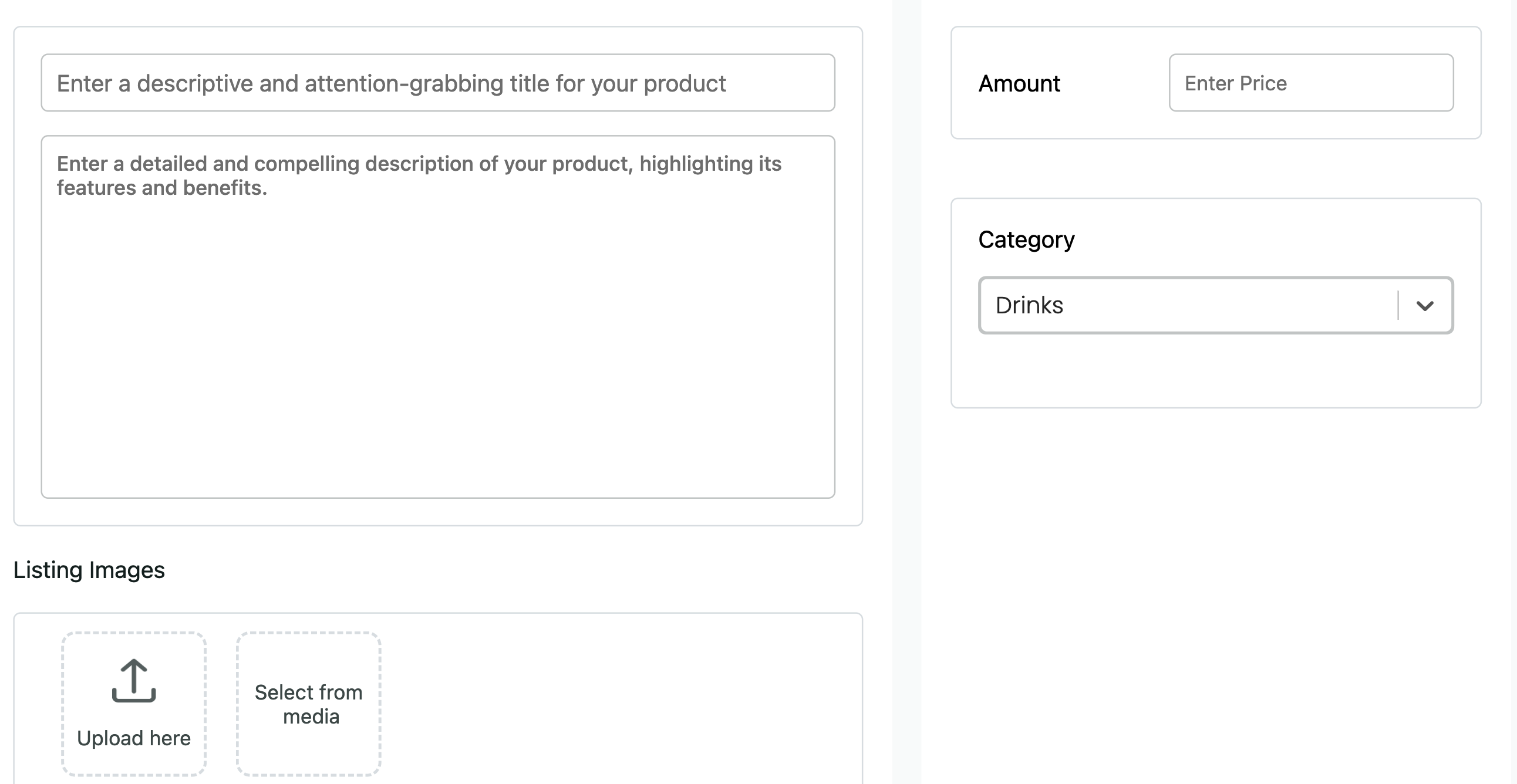
Add Products
Write your product title and description. Upload product photos or other media. Set your price, Setup Stocks limit.
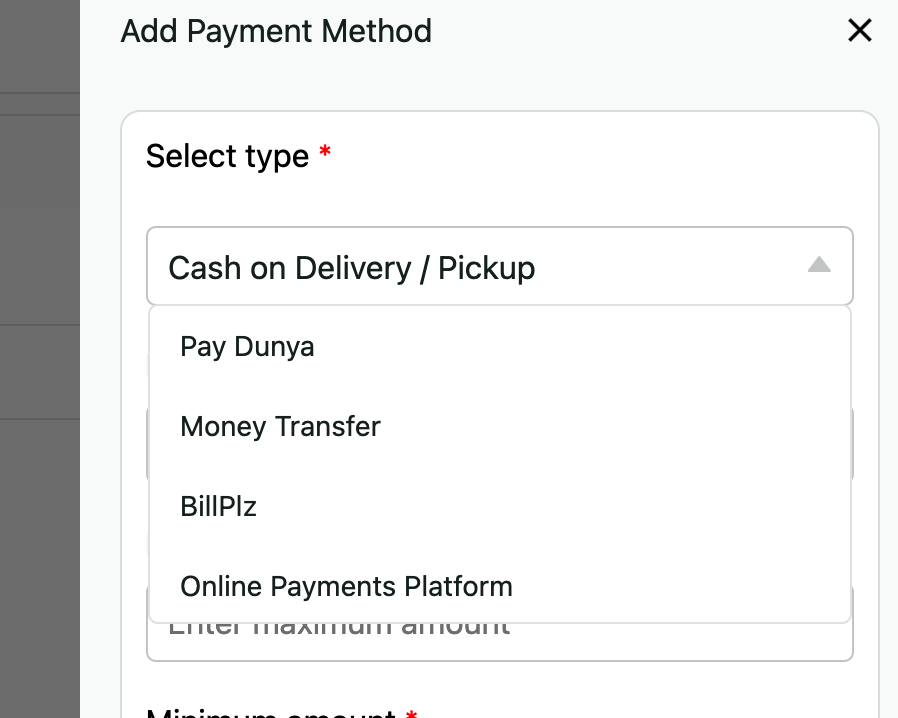
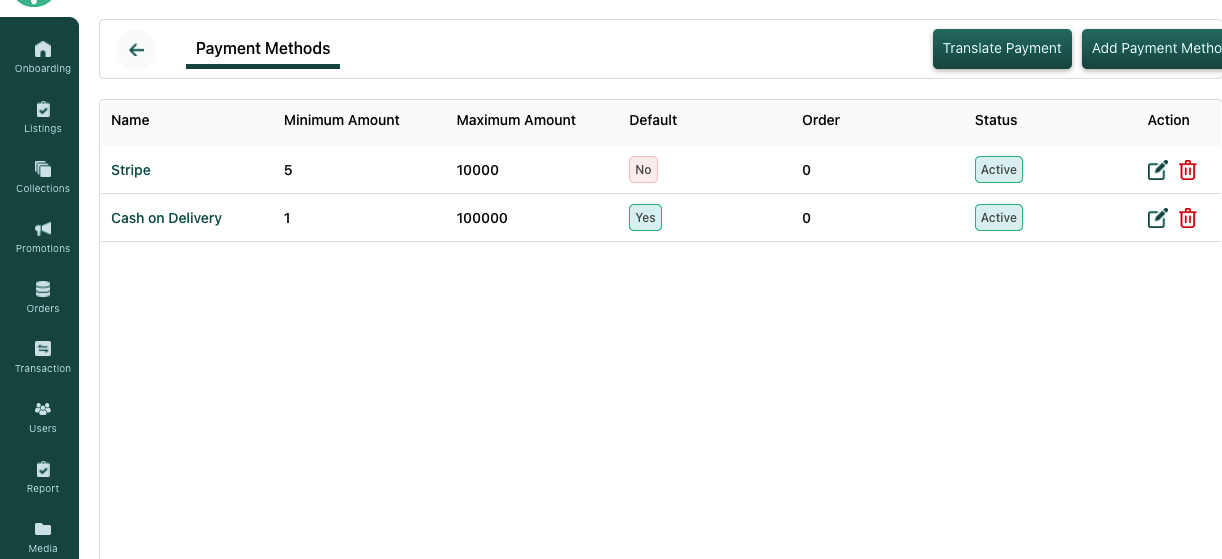
Activate Payment gateways
We support multiple payment gateways. If you are interested in implementing a custom payment gateways, let us know in the contact form.
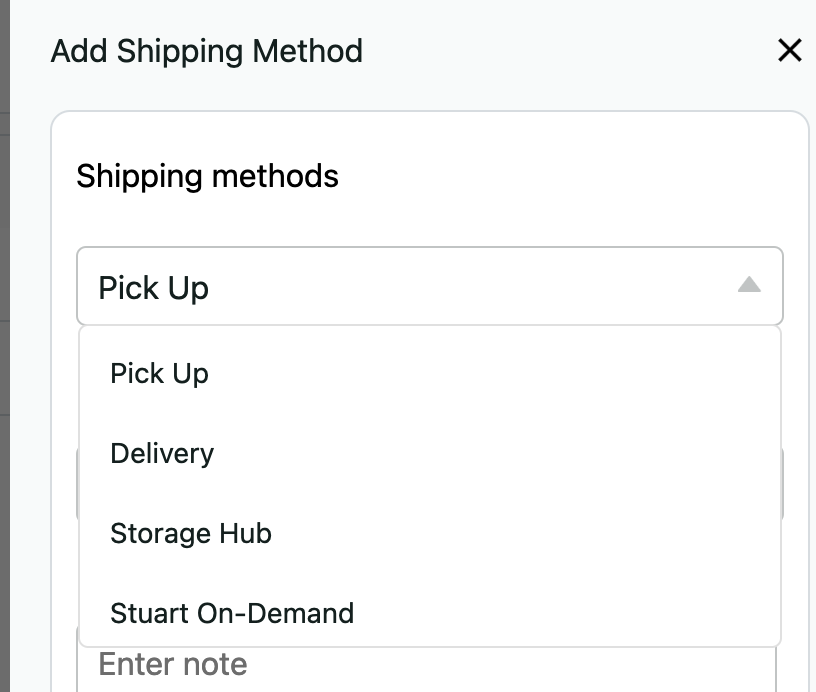
Activate Shipment options
Pick up at source
Delivery/Pick up at Storage Points
Delivery at Destination
Delivery
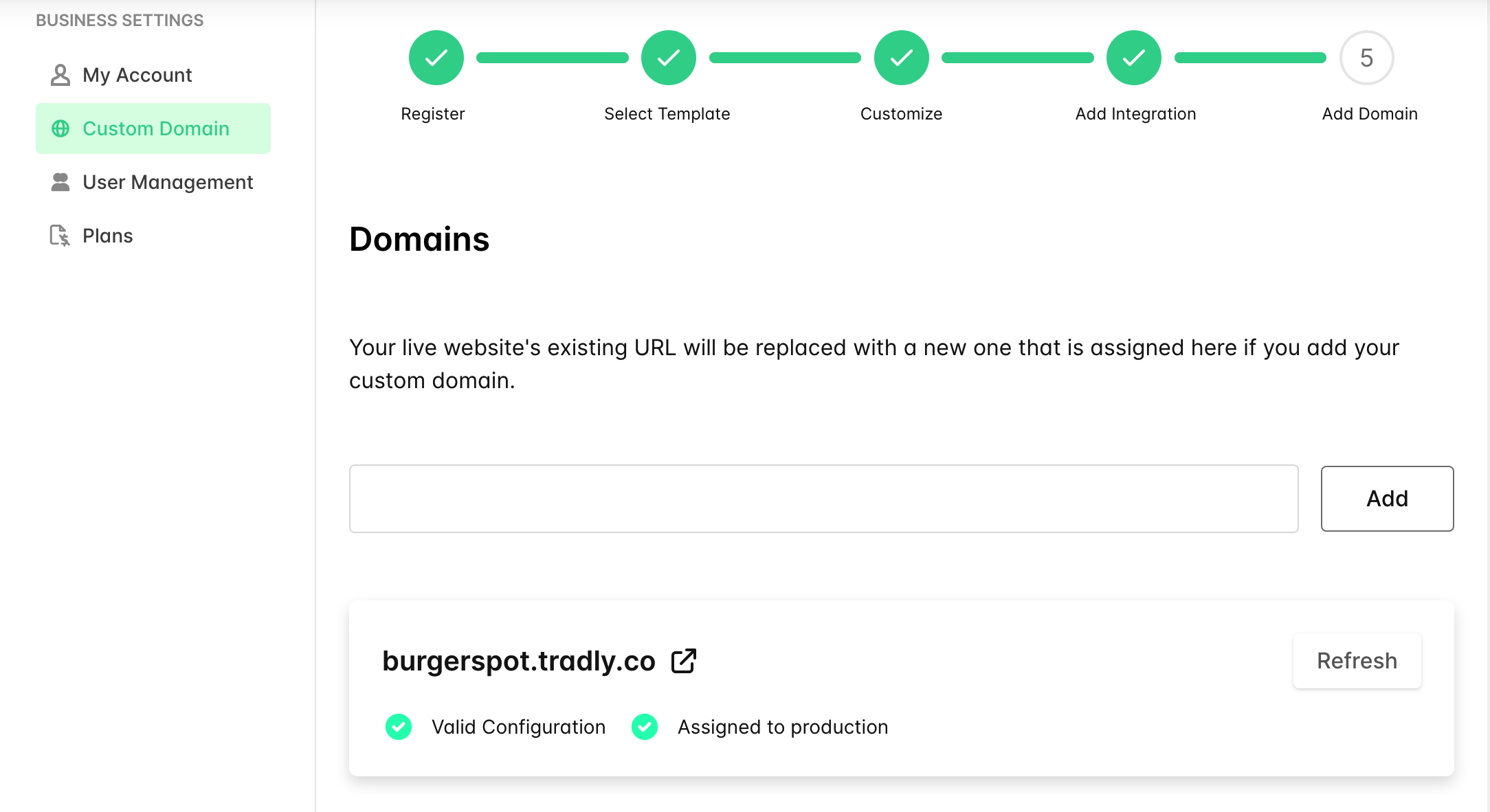
Add your custom domain
Your store is ready to start making money 🚀
Directory types you can build
- Local business directories (restaurants, shops, services by city)
- Professional directories (lawyers, accountants, designers by specialism)
- SaaS and tool directories (Product Hunt, AlternativeTo style)
- Agency directories (marketing agencies, dev shops by technology)
- Nonprofit and social enterprise directories
- Community member directories
Similar platforms you can build
| Platform | Type |
|---|---|
| Yelp | Local business reviews |
| Clutch.co | Agency directory |
| AlternativeTo | Software directory |
| G2 | SaaS reviews and directory |
| Bark.com | Service professional directory |
Advanced Features
------
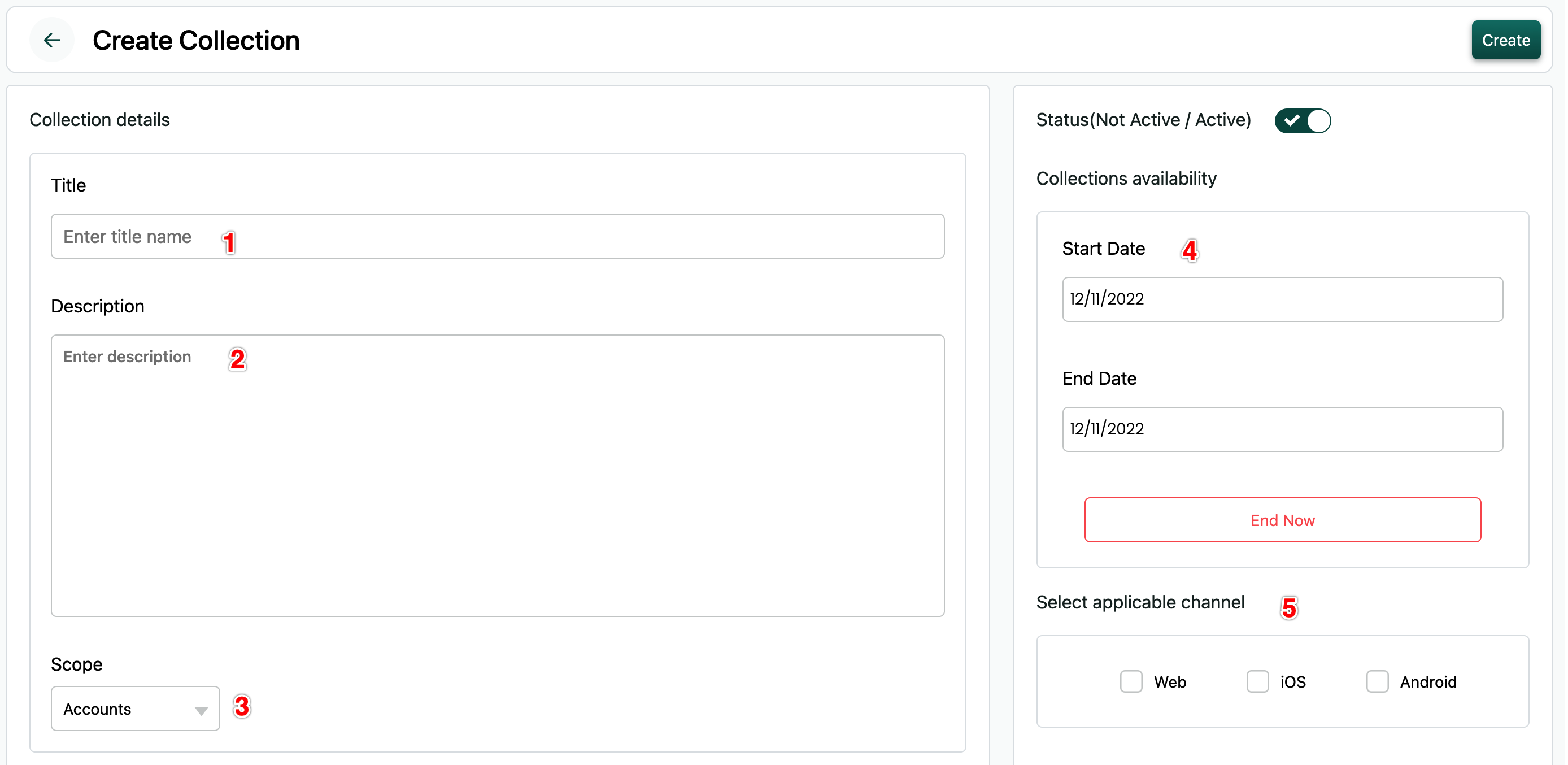
Product Collection
Organise your products into collections (Thematic, promotional, season etc)
Taxes (Advanced)
- Discounts
- Mini-tools (QR Code Generator, Barcode Generator, Short Link generator, UTM Generator)
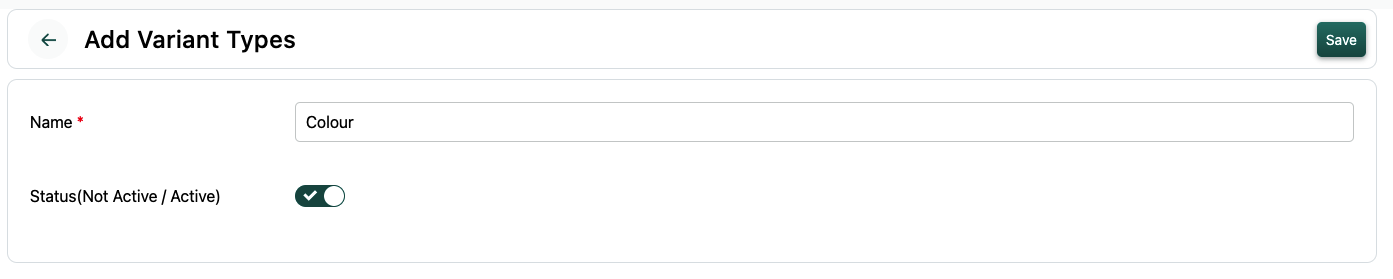
Product Types
- Items with Variances
- Items with Bundles Read more about Variation Here.
Advanced Rules
- Limit number of items purchased on platform level (Stocks, Ticket Limits)
- Limit number of items purchased per user
- Limit Minimum Price, Minimum Quantity, Maximum Quantity
- Limit minimum total order size on Payment method level
Read more about how to use this rules here
Learn more about shipping methods.
Custom Fields (Attributes) for Product descriptions & Filters
You can easily add custom fields for your product adding page. And it can be customised to be shown on listing category level.
Monitoring Business
- Inventory report
- Sales report
Growing your Directory
------
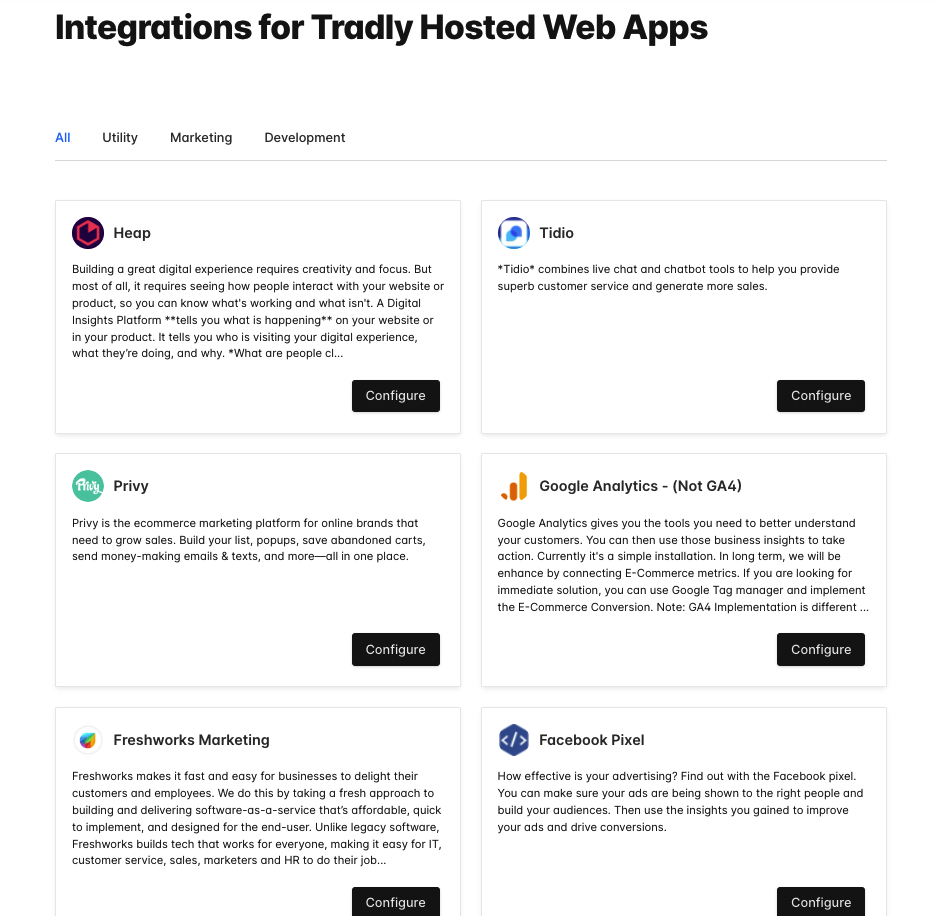
On top of Tradly Free Creator tools. You can add 3rd party apps inside your store for further faetures.
SEO
SEO (Structured card image) & Search engine listing preview,
Email Tools
Integrating your online store with Marketing Tools (especially Mailchimp for emails)
Advertising Tools
Your hosted website can add integrations to run ads. Example: Facebook Pixel, Google Ads Conversion Pixel can be added through Native integrations. or you can use Google Tag Manager integration to do advanced pixel placement in specific pages or custom trigger condition.
Analytical Tools
Connect with Analytical Tools (like Google Analytics)
Feedback & Survey Tools
Connecting with Feedback & UX monitoring tools (like Hotjar, clarity) (By default, we have feedback form)
Promotion / Popup tools
Connecting Promotion / Popup tools
Advanced Growth Tactics
- Increase AOV by setting up minimum purchase
- Create Collection pages to get more exposure in Google Search results or thematic celebrations.
Scaling
------
Established and looking to expand & Scale?
- Fleet Management System to manage your own deliveries thus reducing cost and providing end-to-end delightful experience for your customers
- Mobile Apps for your customers, so they can be in touch with you everyday
- Additional Integrations on backend level (Via API and Webhooks) to support with your internal systems
Directory & Listing Templates
Directory & Listing Templates
See AllSimple and FREE. Launch your project today!
- Launch Marketplaces, Online Storefronts, Booking Apps, Classifieds, Directories, Partner Portals, App Stores, etc.
- Tradly pricing starts with ZERO. You pay only when you grow.
- Free No-code Integrations, No-Code Editor
Checklist from start to end on what you need to build a marketplace using Tradly Platform.
Tradly Platform solution is catered to different groups separately
- For developers: Headless API solution. Using the API solution, developers can build apps on top of it.
- For no-code creators: A simple toggle based SuperAdmin Panel to configure features in the already pre-built apps (also called as storefront, front end apps, templated apps).
For developers
- Signup for a free account
- Get the API keys in the SuperAdmin > Settings > API section = Refer the API reference to start building the app
- Optionally Fork Open source app starter Kits
5 Steps for no-code creators and builders
Choose the templates Website or Mobile Apps
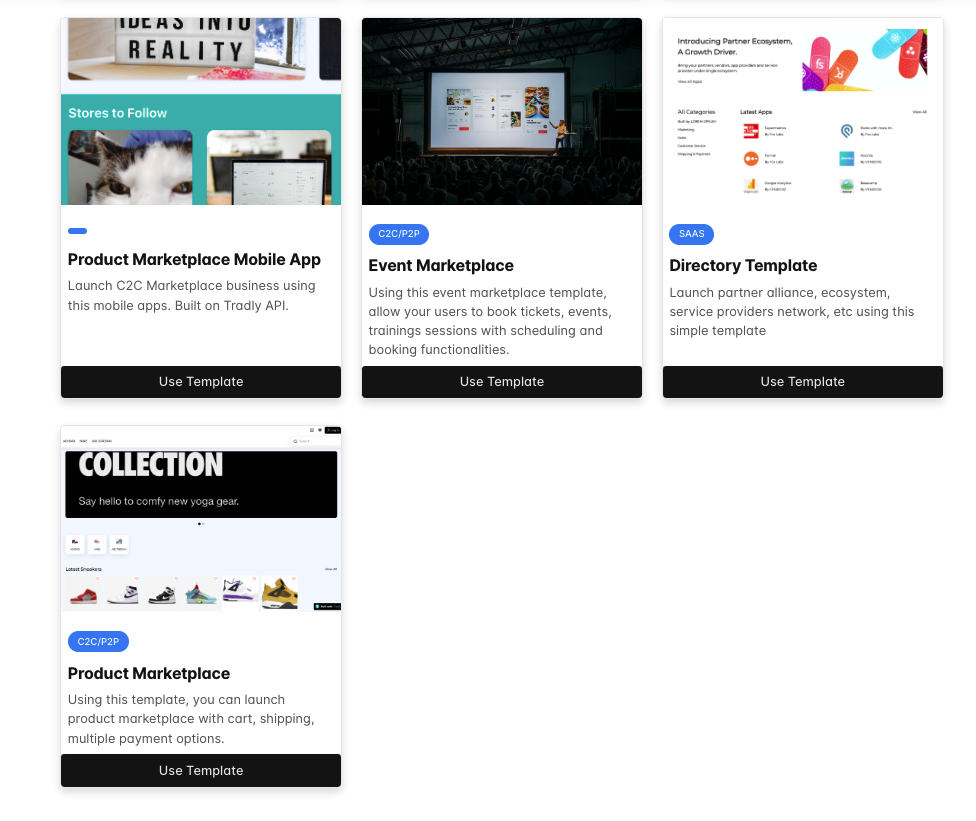
Do the branding customisation & business informations on launchpad
Prototype your app using our SuperAdmin builder and Visualise your app through test apps.
Launch
- Web App: By default when you register, you will get the production URL to use the app. And you can add custom domain.
- Mobile App: When you are ready to launch, Subscribe to our plans and get a white label app build
Advanced Informations
A. UI Customisation via SuperAdmin
Settings > App Customistion
- App Name
- App Primary & Secondary Colour
- App Icon
- Splash launch images
- Onboarding images, Onboarding Text
- Registration Text
- Sell Icon (optional)
- App title in Home Screen (Default will be app name) And others
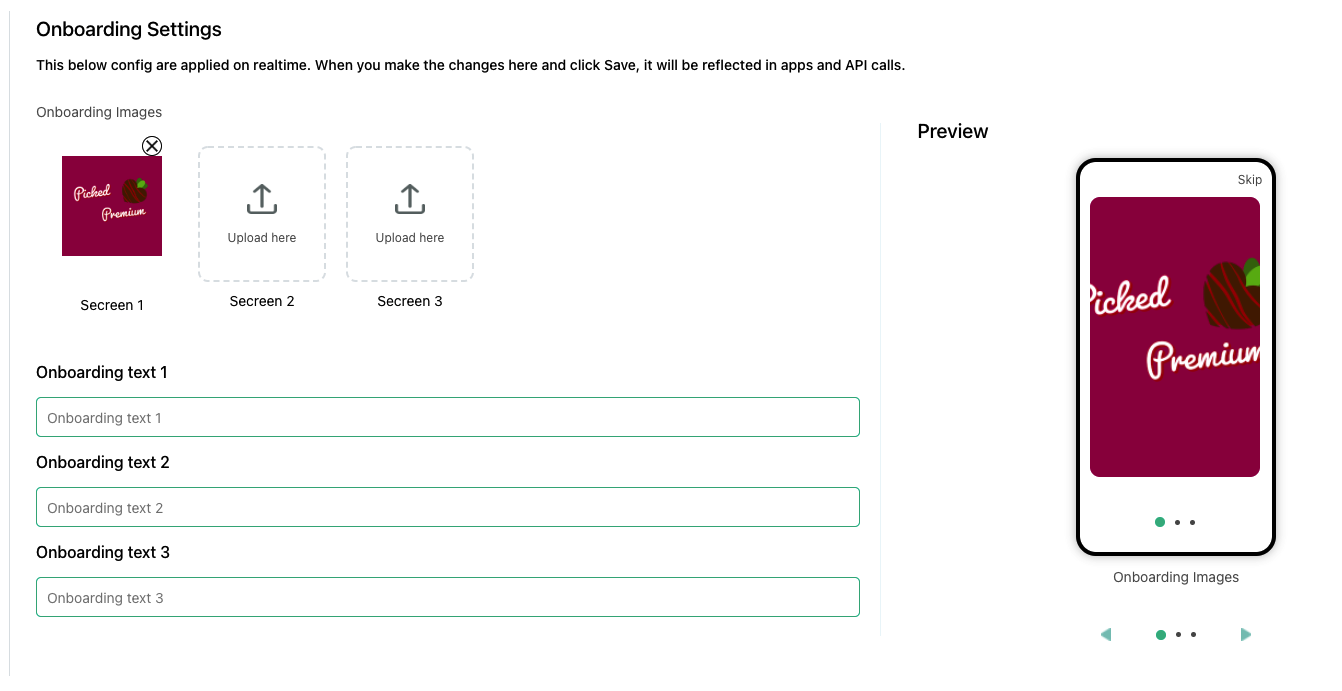
B. Platform Fundamentals
You must configure the below things for the system to be able to open accounts, submit listings and make purchases.
Configure accounts: Settings > accounts(categories, attributes)
Configure listings: Settings > listings (Setting up listings information to be collected. Categories, attributes)
Stripe/other payment gateways configuration
Configure revenue model, commissions: Settings > commissions OR Settings > Subscriptions OR Settings > Special Fees
C. Integrations
App integrations
- Chat setup via Firebase ,
- Optionally referral / sharing features via Branch
- Optionally later legal informations (privacy, terms, etc)
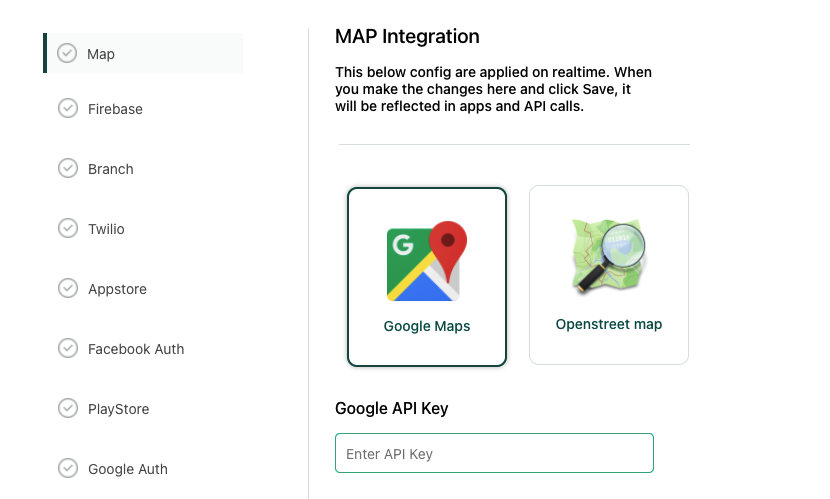
System integrations
- Configure email if you want the emails to be whitelisted
- Configure domain if you want good deliverability of emails
- Configure Google Maps if you have location specific features
Website Integrations
Dozens of website integrations to help you with marketing, analytics and products. [Check here](https://tradly.app/integrations)Simple and FREE. Launch your project today!
- Launch Marketplaces, Online Storefronts, Booking Apps, Classifieds, Directories, Partner Portals, App Stores, etc.
- Tradly pricing starts with ZERO. You pay only when you grow.
- Free No-code Integrations, No-Code Editor
- More about Headless Commerce API
- Open source Repositories - iOS, Android, Web App
- Youtube Video series on how to build a marketplace
- VIDEO: Choosing the right stack and how to approach different solution
- Read: Why it’s better to use pre-built solution like Tradly
Also see: Classifieds Website Builder · How to Create a Marketplace Website · D2C Meaning · Building blocks