Welcome to Tradly, the fully flexible and no-code solution for creating your own classified website. Our template allows you to easily customize and launch your own site in no time, giving you all the tools you need to connect buyers and sellers in your community.
Why use Tradly to launch classifieds?
Self registrations: With our template, users can easily create their own accounts and start posting listings right away.
Listing creation: Our template includes a simple and intuitive system for creating and managing listings, allowing users to add details, photos, and other information about their items or services.
Reviews: Our template allows users to leave reviews for the listings they’ve purchased or used, providing valuable feedback and helping other users make informed decisions.
Multiple images: Users can add multiple images to their listings, giving buyers a better idea of what they’re selling.
Chat: Our template includes a chat feature that allows buyers and sellers to communicate directly and make arrangements for purchases or exchanges.
Search filters: Our template includes a range of search filters to help users find the listings they’re looking for, including categories, locations, and keywords.
4 level of category creation: Our template allows users to create up to four levels of categories, providing a flexible and comprehensive system for organizing listings.
Mini analytics: Our template provides mini analytics for listing submitters, giving them insight into how their listings are performing and how many views they’re getting.
Paid listing: Our template includes the option for users to purchase paid listings, which can help them get more visibility and exposure for their items or services.
Featured section: Our template includes a featured section that allows users to highlight their most important or popular listings.
Search function: Our template includes a powerful search function that helps users find the listings they’re looking for quickly and easily.
With the Free Classified Template, you can easily create your own classified website and start connecting buyers and sellers in your community. Try it out today!
Location search: Our template includes a location search feature that allows users to find listings in specific areas or neighborhoods. This can be especially useful for buyers who are looking for items or services in their local area.
Favourite listings: Our template allows users to save listings as their favorites, allowing them to easily keep track of the items they’re interested in and revisit them later.
Custom fields: Our template includes the ability for users to create custom fields for their listings, allowing them to add additional details or information that may not be covered by the default fields. This can be useful for adding specialized or niche information that may be important to some users.
With these additional features, the Free Classified Template provides even more flexibility and customization options for creating your own classified website. Try it out today!
How to create a classified website?
Register a free account
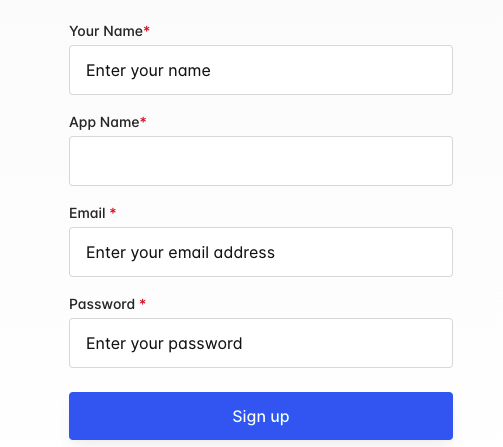
- Duplicate any marketplace template we have in Tradly: The first step in creating a classified website with our template is to duplicate one of the marketplace templates we have available. This will give you a pre-designed template to work with, saving you time and effort.
Classified / Marketplace Templates
See All- Customize the strings or catalogues from Superadmin: With our template, you have the ability to customize the strings or catalogues from the Superadmin dashboard. This allows you to change the text and language used on your website to match your brand and target audience.
- Customize the design: In addition to customizing the strings and catalogues, you can also customize the design and layout of your classified website. This includes changing the colors, fonts, and overall look and feel of the site to match your brand and preferences.
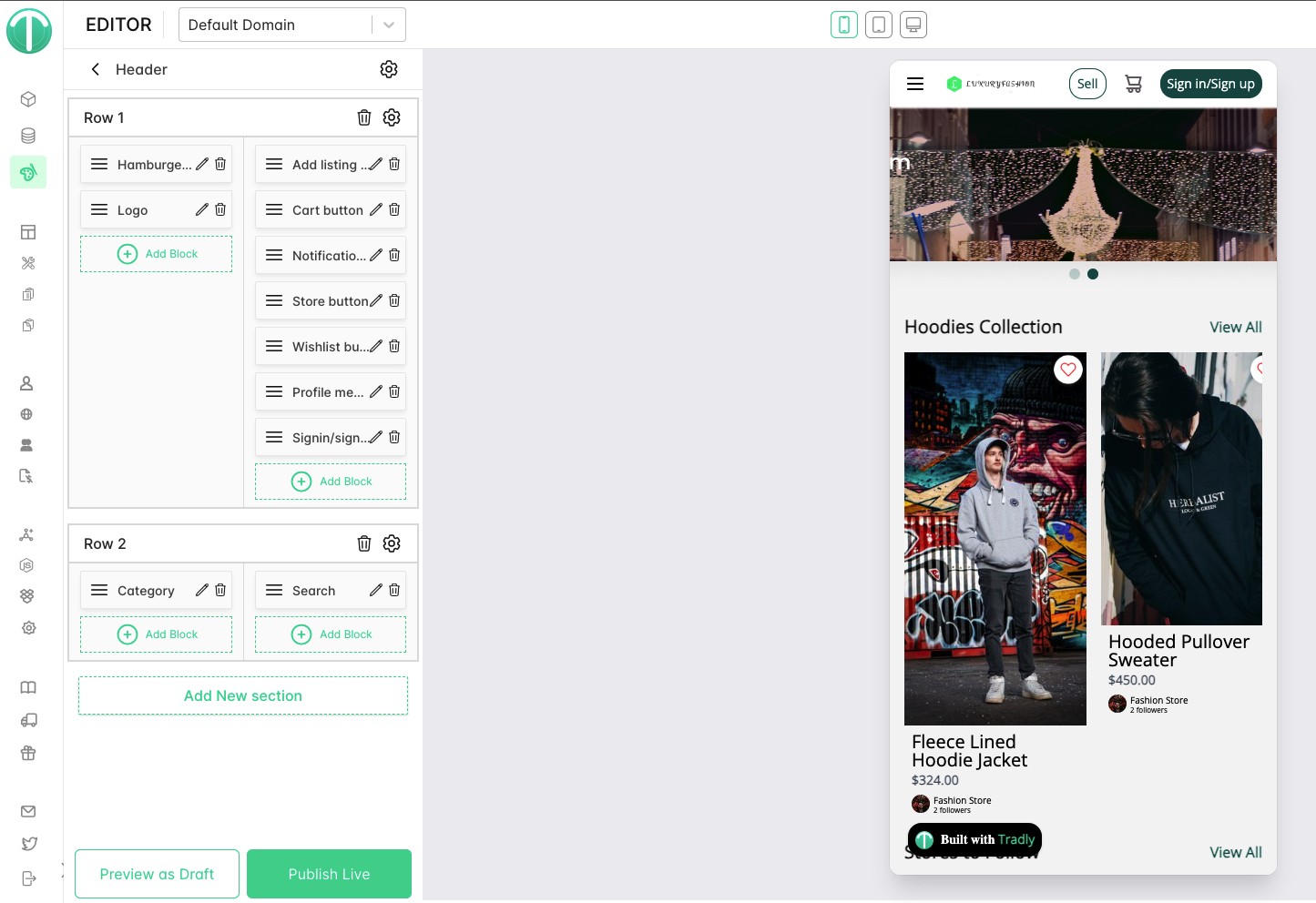
- Add listings and categories: Once you have customized the template to your liking, you can start adding listings and categories to your website. This includes creating new listings, adding images and descriptions, and organizing them into categories.
Launch your website: Once you have added your listings and categories, you are ready to launch your classified website. Simply publish your site and start promoting it to attract buyers and sellers to your platform.
With these simple steps, you can quickly and easily create your own classified website using our Free Classified Template. Try it out today!
Advanced Features
------
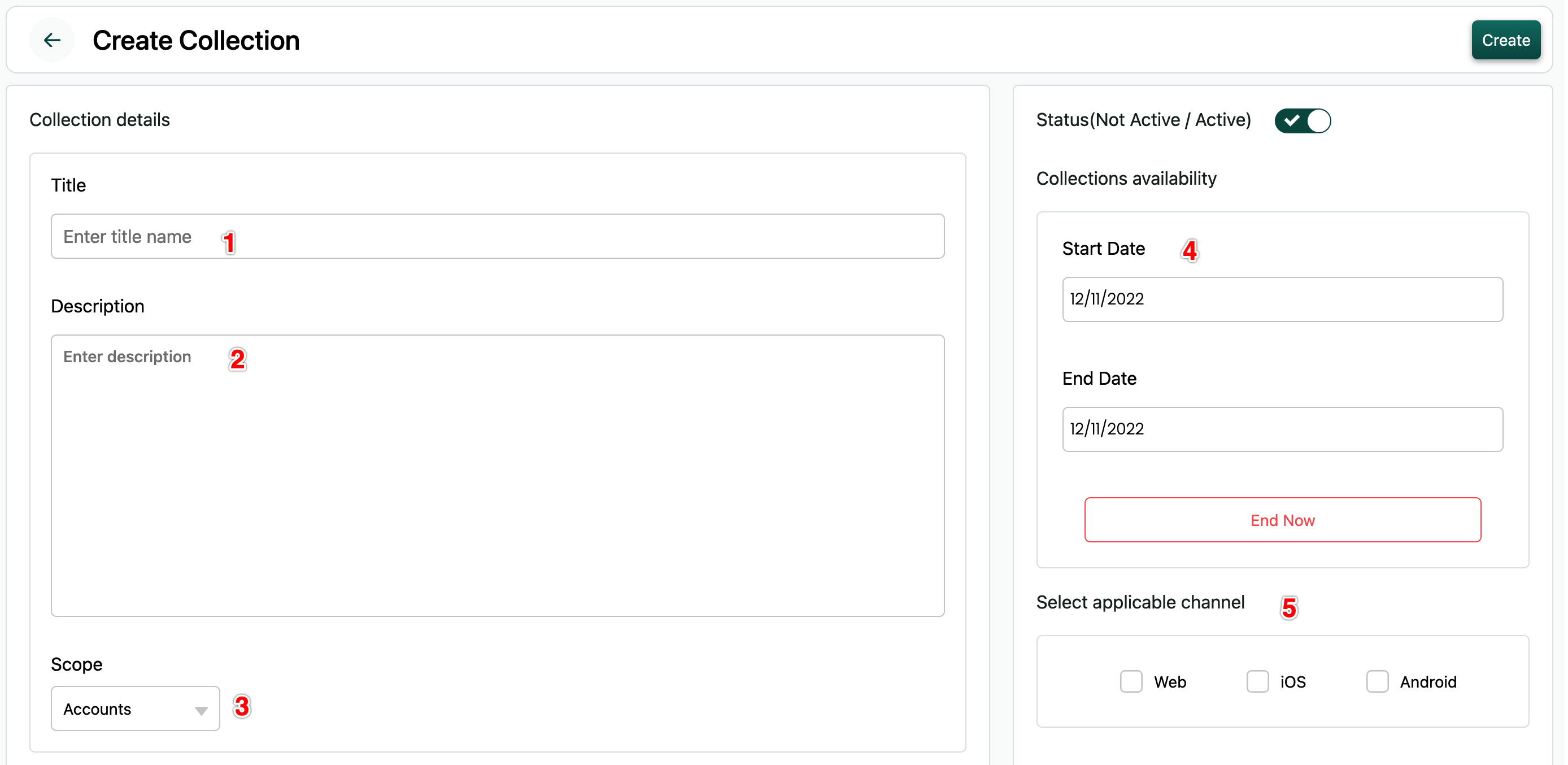
Product Collection
Organise your products into collections (Thematic, promotional, season etc)
Taxes (Advanced)
- Discounts
- Mini-tools (QR Code Generator, Barcode Generator, Short Link generator, UTM Generator)
Product Types
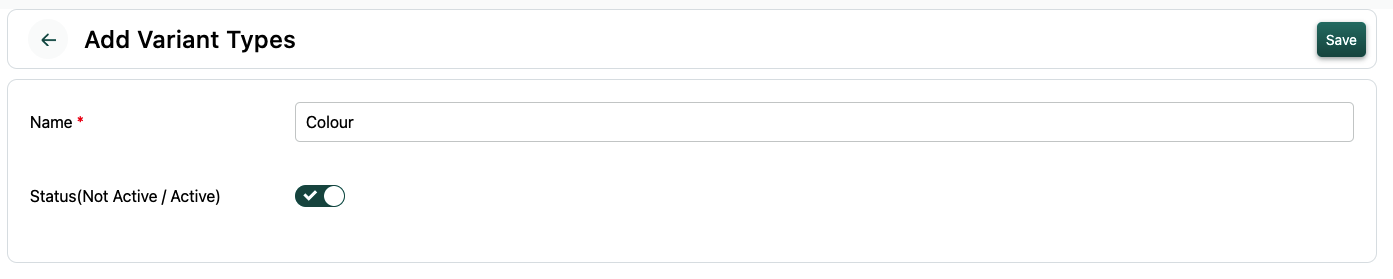
- Items with Variances
- Items with Bundles Read more about Variation Here.
Advanced Rules
- Limit number of items purchased on platform level (Stocks, Ticket Limits)
- Limit number of items purchased per user
- Limit Minimum Price, Minimum Quantity, Maximum Quantity
- Limit minimum total order size on Payment method level
Read more about how to use this rules here
Learn more about shipping methods.
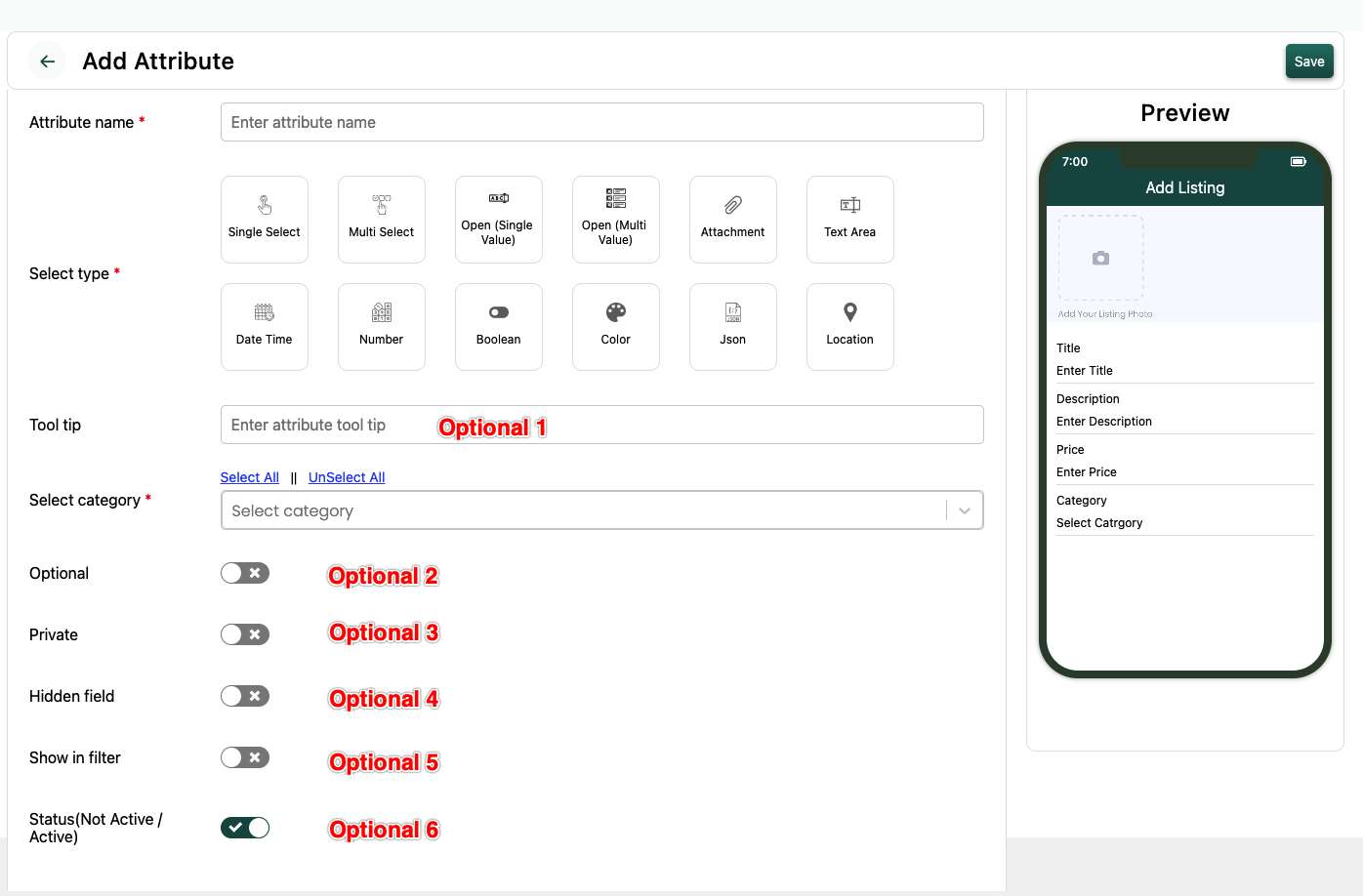
Custom Fields (Attributes) for Product descriptions & Filters
You can easily add custom fields for your product adding page. And it can be customised to be shown on listing category level.
Monitoring Business
- Inventory report
- Sales report
Growing your Store
------
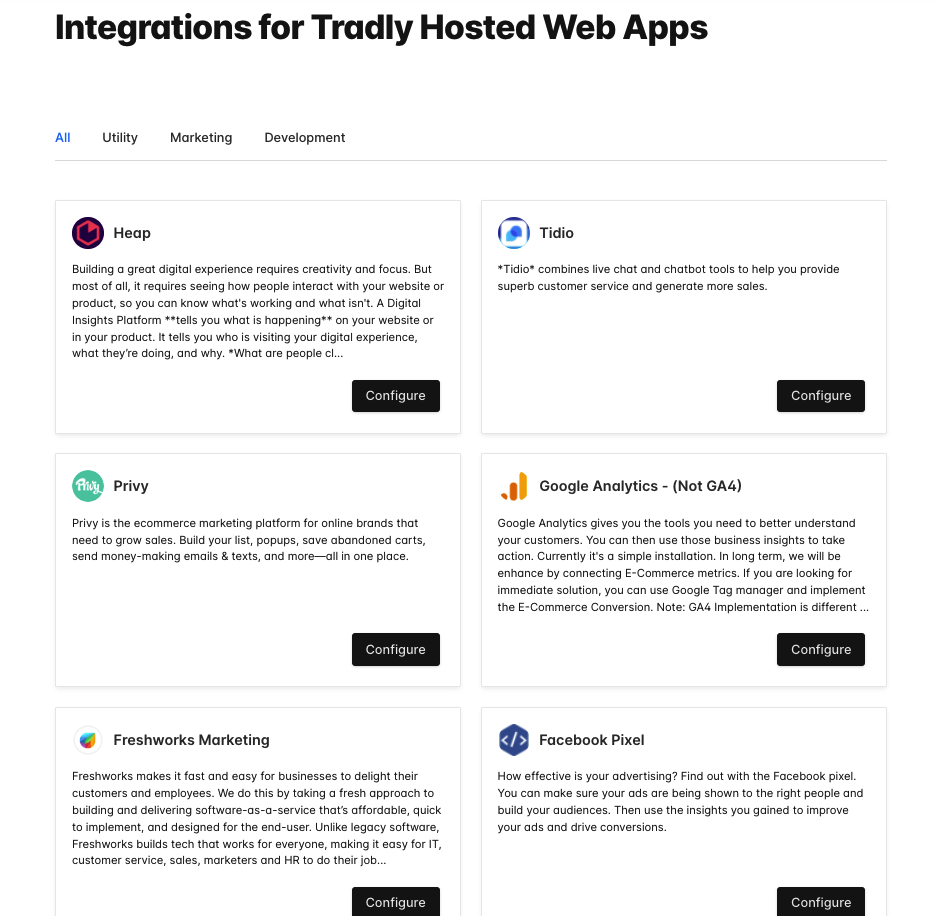
On top of Tradly Free Creator tools. You can add 3rd party apps inside your store for further faetures.
SEO
SEO (Structured card image) & Search engine listing preview, Connect Tradly Analytics to Google Search Console insights and other search engine data to understand which queries bring visitors to your store and how organic search is performing. AI agent Jack turns those signals into a daily digest of useful insights and suggested actions for business owners.
Email Tools
Use Tradly Marketing to:
- Send transactional emails such as order confirmations, receipts, and password resets.
- Broadcast campaigns and special offers to your full list or a behavior-based segment.
- Build welcome, onboarding, and drip workflows, or trigger abandoned-cart, re-engagement, and post-purchase emails from customer activity.
- Review opens, clicks, unsubscribes, and bounces by campaign.
- Email customers already on Tradly without maintaining a separate subscriber list, or connect services like Mailchimp.
Advertising Tools
Your hosted website can add integrations to run ads. Example: Facebook Pixel, Google Ads Conversion Pixel can be added through Native integrations. or you can use Google Tag Manager integration to do advanced pixel placement in specific pages or custom trigger condition.
Analytical Tools
Use Tradly Analytics to follow activity across your storefront, mobile app, and AI agent interactions. See live events such as product views, searches, cart additions, and checkout starts, then build funnels to find where shoppers drop off before purchase. Google Analytics and other tools can also be connected when you need them.
Feedback & Survey Tools
Collect customer input with Tradly Marketing forms, surveys, and feedback toolkits. Use what shoppers tell you to spot unanswered questions, confusing product information, or friction in the buying process.
These tools are also available to agents through Tradly MCP, to developers through the Tradly API, and on the Tradly SuperAdmin mobile app.
Promotion / Popup tools
Connecting Promotion / Popup tools
Back Office (ERP)
Your storefront is one part of running a business. [Tradly Business Apps](/erp) can also help small businesses, retail teams, and FMCG operations organize the work behind each sale:- Workforce: coordinate staff profiles, shifts, attendance, leave, and payroll records.
- Supply chain: manage inventory across warehouses and locations, receive stock, track batches and movements, and coordinate transfers.
- Purchasing and sales: organize supplier purchase orders and connect sales orders with the stock and fulfillment work they require.
Teams can connect compatible AI agents through Tradly MCP, or use connected voice agents to report field updates such as deliveries and stock issues. See the guides to multi-location inventory and workforce scheduling and payroll. Available operations depend on the app setup, connected tools, and permissions.
Advanced Growth Tactics
- Increase AOV by setting up minimum purchase
- Create Collection pages to get more exposure in Google Search results or thematic celebrations.
Scaling your Store
------
Established and looking to expand & Scale?
- Fleet Management System to manage your own deliveries thus reducing cost and providing end-to-end delightful experience for your customers
- Mobile Apps for your customers, so they can be in touch with you everyday
- Additional Integrations on backend level (Via API and Webhooks) to support with your internal systems
Types of Marketplace
Cars: A common type of classified ad is for cars, including new and used vehicles.
Real estate: Classified ads are often used to list properties for sale or rent, including homes, apartments, and commercial properties.
Jobs: Many classified websites include a section for job listings, including both full-time and part-time positions.
Pets: Classified ads can be a good way to find a new pet, including dogs, cats, birds, and other animals.
Furniture: Classified ads are often used to sell or give away furniture, including couches, tables, and chairs.
Electronics: Classified ads can be a good place to find deals on electronics, including smartphones, laptops, and televisions.
Clothing: Classified websites can be a good place to find deals on clothing, including designer brands and gently used items.
Home improvement: Classified ads can be a good source of tools and materials for home improvement projects, including paint, tiles, and fixtures.
Collectibles: Many classified websites have a section for collectibles, including stamps, coins, and other rare or unique items.
Services: Classified ads can be a good way to find professionals offering services, including tutoring, cleaning, and repair work.
Also see: Classifieds Website Builder · Directory Website Builder · How to Create a Marketplace Website