D2C, B2C, B2B, C2C — the commerce acronyms pile up. This page explains what each one means, why the differences matter, and what it takes to launch a D2C business today.
D2C meaning: what does D2C stand for?
D2C stands for Direct-to-Consumer. D2C full form: Direct to Consumer (also written as DTC). It describes a business model where a brand manufactures or sources a product and sells it directly to the end customer — with no wholesalers, distributors, or retailers in between.
The brand owns the entire customer relationship: the storefront, the transaction, the post-purchase experience, and the customer data.
D2C vs B2C: what's the difference?
This is the most common confusion. Here’s the key distinction:
| D2C (Direct to Consumer) | B2C (Business to Consumer) | |
|---|---|---|
| Who sells | The brand/manufacturer itself | Any business, including retailers |
| Channel | Brand’s own website or app | Any retail channel |
| Middlemen | None | Often yes — retailers, distributors |
| Customer data | Brand owns it | Retailer owns it |
| Margin | Higher (no middleman cut) | Lower |
| Examples | Warby Parker, Glossier, Dollar Shave Club | Amazon, Walmart, any retailer |
D2C is a subset of B2C. All D2C brands are B2C businesses — they sell to consumers. But not all B2C businesses are D2C — many sell through intermediaries.
A Nike shoe sold on nike.com = D2C. The same shoe sold on Amazon = B2C, not D2C (Nike doesn’t own that customer relationship).
B2B vs D2C
B2B (Business-to-Business) means selling to other businesses rather than consumers.
A brand that sells wholesale to retailers is doing B2B. If that same brand also sells directly to consumers on its own website, it has added a D2C channel on top of its B2B operation.
Many manufacturers run both simultaneously:
- B2B channel → sell in bulk to distributors and retailers at wholesale price
- D2C channel → sell directly to consumers at full retail price, own the customer relationship
The D2C channel typically generates 2–3x the margin of the B2B wholesale channel.
B2B, B2C, D2C, C2C — the full breakdown
| Model | Full form | Who sells to whom | Example |
|---|---|---|---|
| B2B | Business to Business | Business → Business | Tradly selling platform to marketplace operators |
| B2C | Business to Consumer | Business → Consumer | Nike selling on nike.com or Amazon |
| D2C | Direct to Consumer | Brand/manufacturer → Consumer directly | Glossier, Casper, MVMT |
| C2C | Consumer to Consumer | Consumer → Consumer | eBay, Vinted, Facebook Marketplace |
Why brands are moving to D2C
Five reasons the shift to D2C accelerated:
- Higher margins — no retailer markup or distributor cut
- First-party data — you own the customer relationship, not Amazon or a supermarket
- Brand control — you control the full purchase and post-purchase experience
- Faster feedback — direct customer data reaches your product team in days, not quarters
- Repeat revenue potential — subscriptions, loyalty programmes, and personalisation work when you own the channel
What a D2C business needs to operate
Because you’re cutting out the middleman, you own everything the middleman used to do:
- Storefront — your own branded website or app. Tradly gives you this with templates and a no-code editor.
- Payments — checkout, payment processing, refunds. Multiple payment gateway support built in.
- Fulfilment — you handle shipping and delivery, or integrate with a 3PL.
- Customer support — returns, queries, disputes come directly to you. Tradly Conversational Agent can automate first-line support.
- Marketing — you drive the traffic. Tools for SEO, email, and ads all integrate with Tradly storefronts. Integrations
Launch your D2C business with Tradly
Tradly powers D2C stores and multi-brand D2C marketplaces. Whether you’re a single brand going direct or building a platform for multiple D2C brands, the same infrastructure handles it — product listings, checkout, subscriptions, customer accounts, and analytics.
Free D2C & Store Templates
Store & D2C Templates
See AllSimple and FREE. Launch your project today!
- Launch Marketplaces, Online Storefronts, Booking Apps, Classifieds, Directories, Partner Portals, App Stores, etc.
- Tradly pricing starts with ZERO. You pay only when you grow.
- Free No-code Integrations, No-Code Editor
Checklist from start to end on what you need to build a marketplace using Tradly Platform.
Tradly Platform solution is catered to different groups separately
- For developers: Headless API solution. Using the API solution, developers can build apps on top of it.
- For no-code creators: A simple toggle based SuperAdmin Panel to configure features in the already pre-built apps (also called as storefront, front end apps, templated apps).
For developers
- Signup for a free account
- Get the API keys in the SuperAdmin > Settings > API section = Refer the API reference to start building the app
- Optionally Fork Open source app starter Kits
5 Steps for no-code creators and builders
Choose the templates Website or Mobile Apps
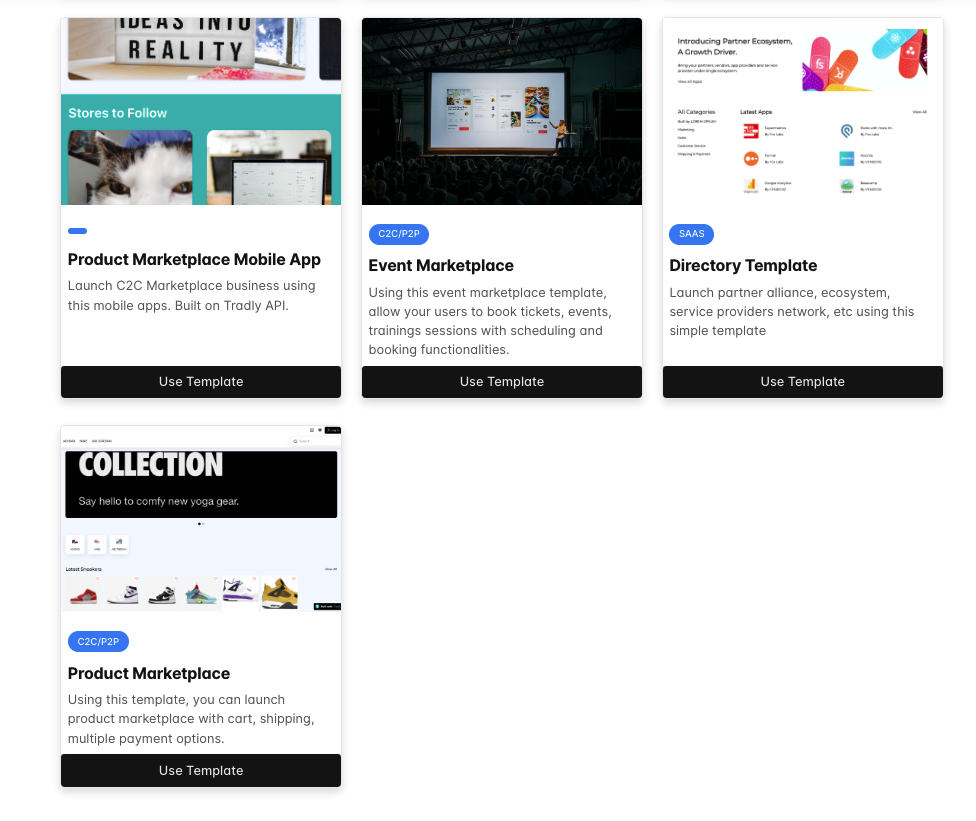
Do the branding customisation & business informations on launchpad
Prototype your app using our SuperAdmin builder and Visualise your app through test apps.
Launch
- Web App: By default when you register, you will get the production URL to use the app. And you can add custom domain.
- Mobile App: When you are ready to launch, Subscribe to our plans and get a white label app build
Advanced Informations
A. UI Customisation via SuperAdmin
Settings > App Customistion
- App Name
- App Primary & Secondary Colour
- App Icon
- Splash launch images
- Onboarding images, Onboarding Text
- Registration Text
- Sell Icon (optional)
- App title in Home Screen (Default will be app name) And others
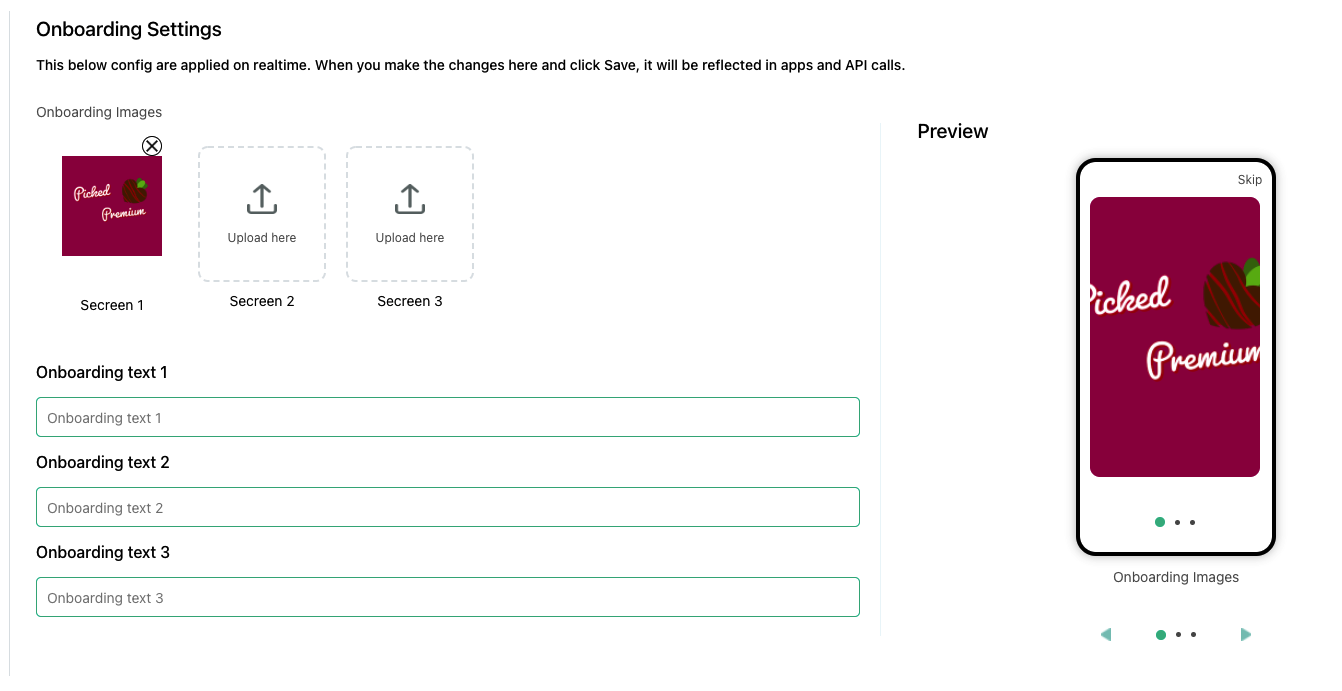
B. Platform Fundamentals
You must configure the below things for the system to be able to open accounts, submit listings and make purchases.
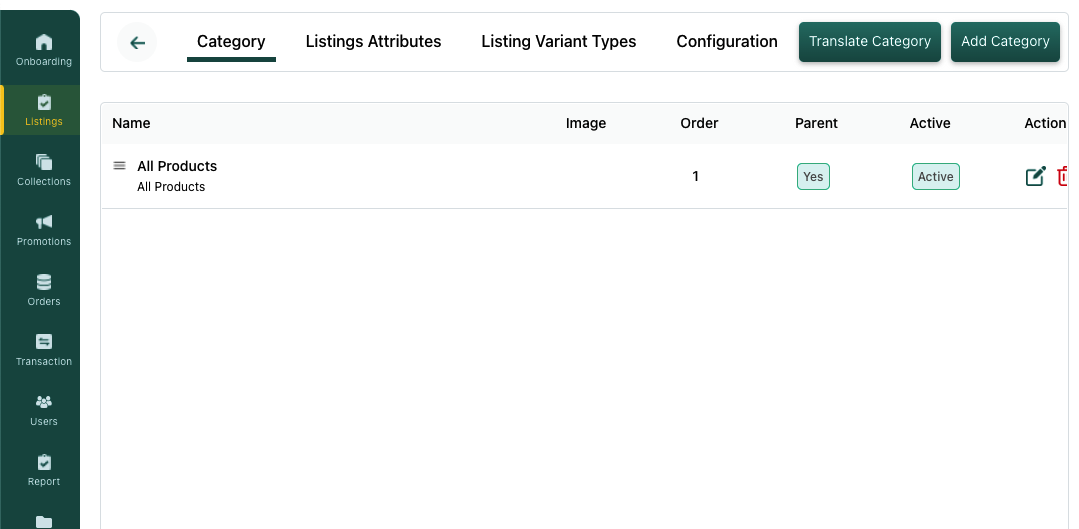
Configure accounts: Settings > accounts(categories, attributes)
Configure listings: Settings > listings (Setting up listings information to be collected. Categories, attributes)
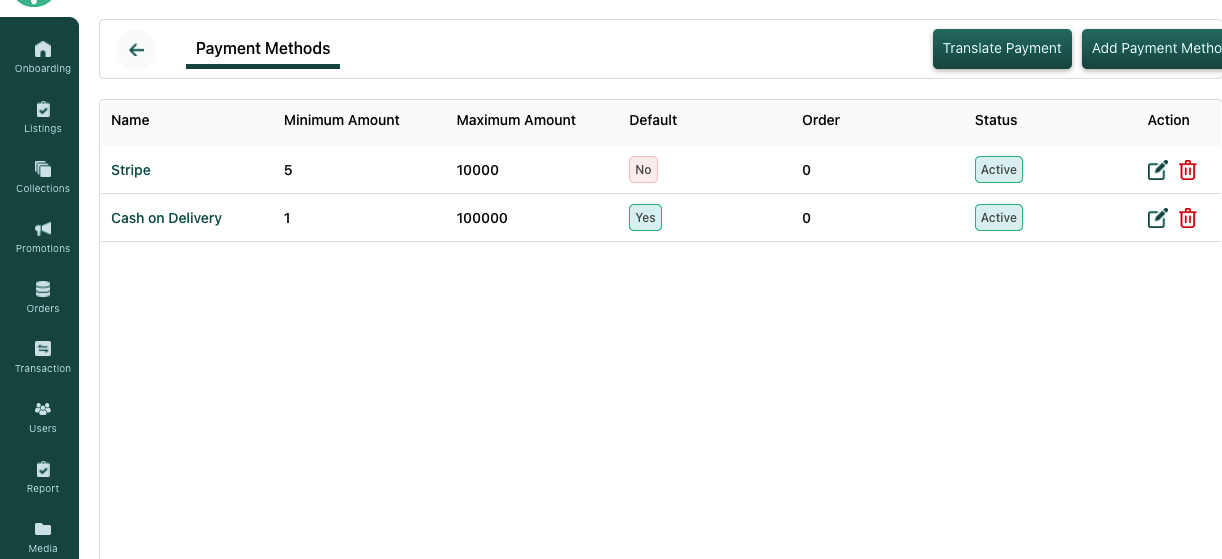
Stripe/other payment gateways configuration
Configure revenue model, commissions: Settings > commissions OR Settings > Subscriptions OR Settings > Special Fees
C. Integrations
App integrations
- Chat setup via Firebase ,
- Optionally referral / sharing features via Branch
- Optionally later legal informations (privacy, terms, etc)
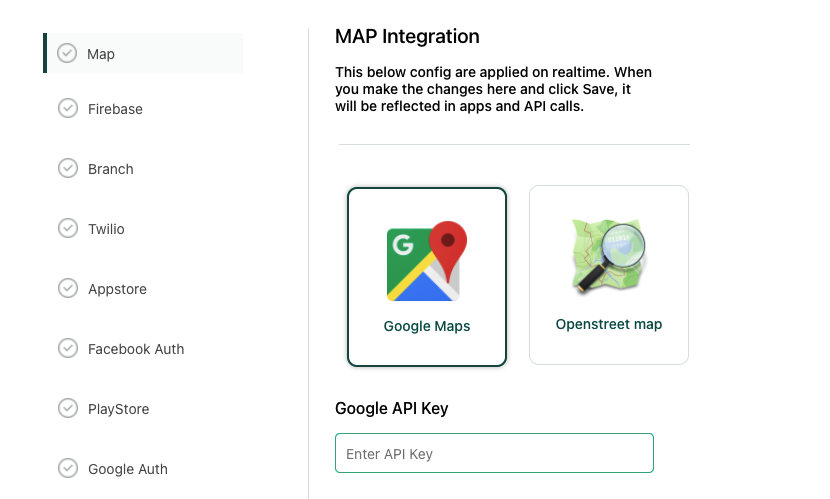
System integrations
- Configure email if you want the emails to be whitelisted
- Configure domain if you want good deliverability of emails
- Configure Google Maps if you have location specific features
Website Integrations
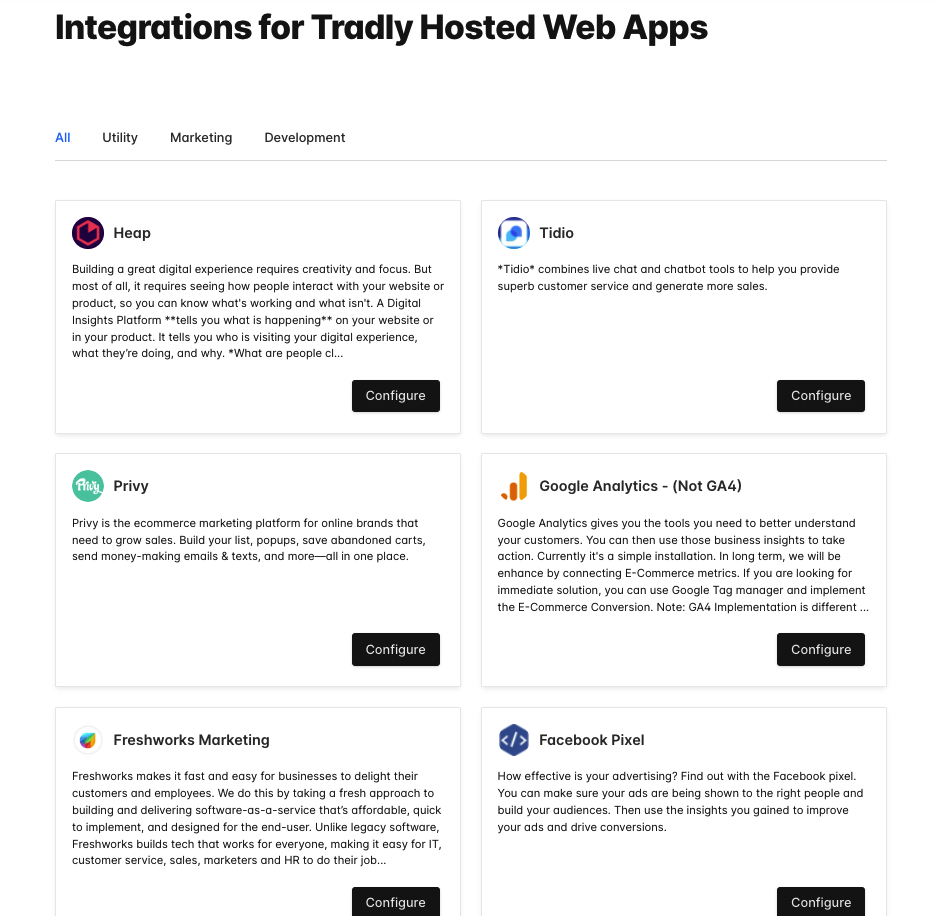 Dozens of website integrations to help you with marketing, analytics and products. [Check here](https://tradly.app/integrations)
Simple and FREE. Launch your project today!
- Launch Marketplaces, Online Storefronts, Booking Apps, Classifieds, Directories, Partner Portals, App Stores, etc.
- Tradly pricing starts with ZERO. You pay only when you grow.
- Free No-code Integrations, No-Code Editor
- More about Headless Commerce API
- Open source Repositories - iOS, Android, Web App
- Youtube Video series on how to build a marketplace
- VIDEO: Choosing the right stack and how to approach different solution
- Read: Why it’s better to use pre-built solution like Tradly
Also see: How to Create a Marketplace Website · Digital Goods Marketplace · Peer-to-Peer Marketplace · Commerce Order Engine