Integrations for Hosted Web Apps
Filter by integration attributes

Usetiful
Usetiful is a powerful yet user-friendly Digital Adoption Platform designed to enhance user onboarding, feature adoption, and customer self-service. Its flexibility allows for seamless integration, making it ideal for single-page applications and complex SaaS portals—without requiring any coding skills.
With Usetiful, you can effortlessly create engaging product tours, checklists, and tooltips to guide users through your platform. Plus, the free-forever plan ensures accessibility for all users.
Tradly now supports slide-out and modal-style tour cards in its themes, with pointer-style tooltips coming soon.

Drift


Sendcloud
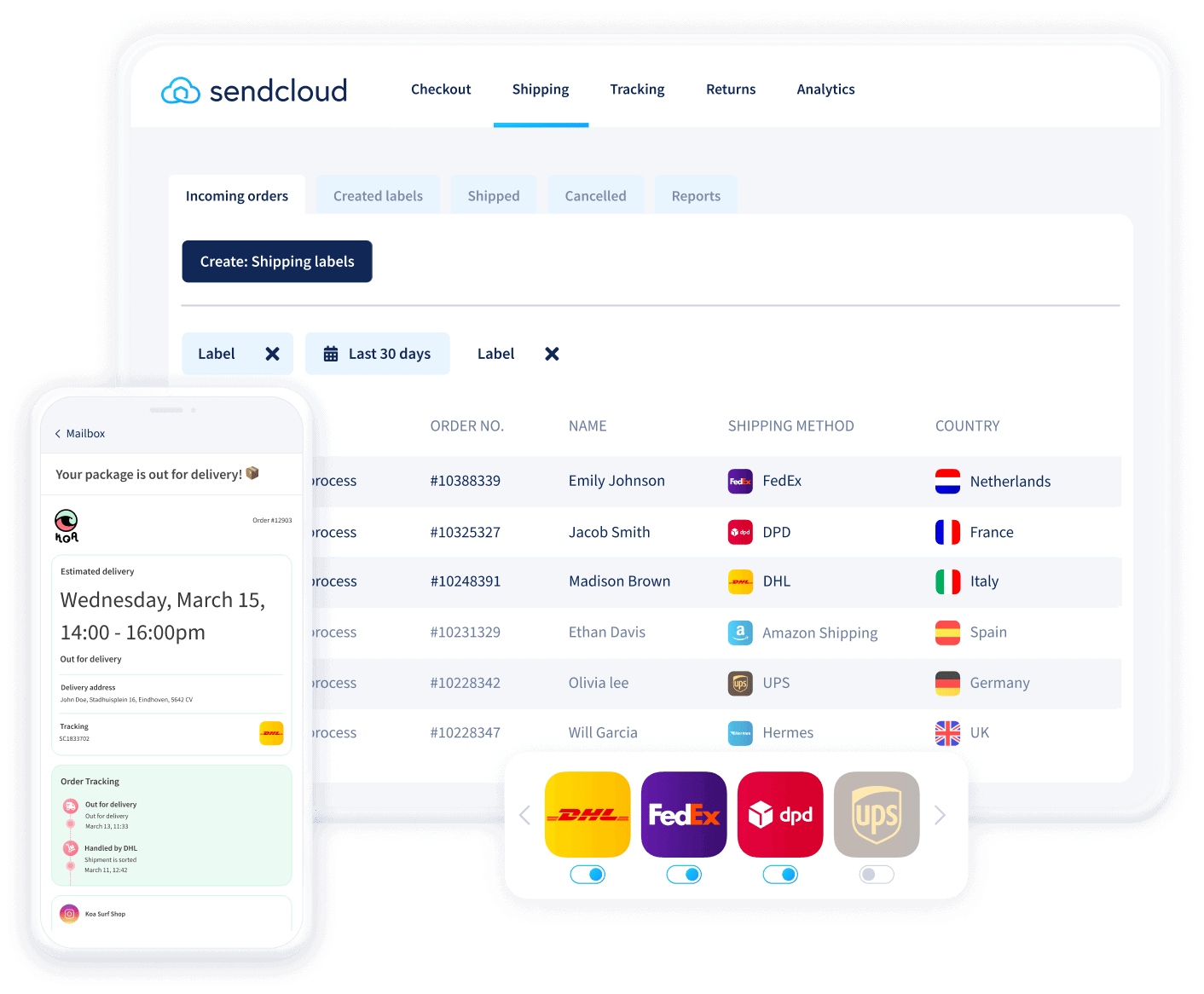
Europe’s #1 shipping software trusted by 23,000 businesses
Automate label creation, tracking emails, returns, and so much more. Reach customers globally, and improve their delivery experience, from checkout to returns.
How to Setup?
Go to SuperAdmin > Settings > Shipment Methods
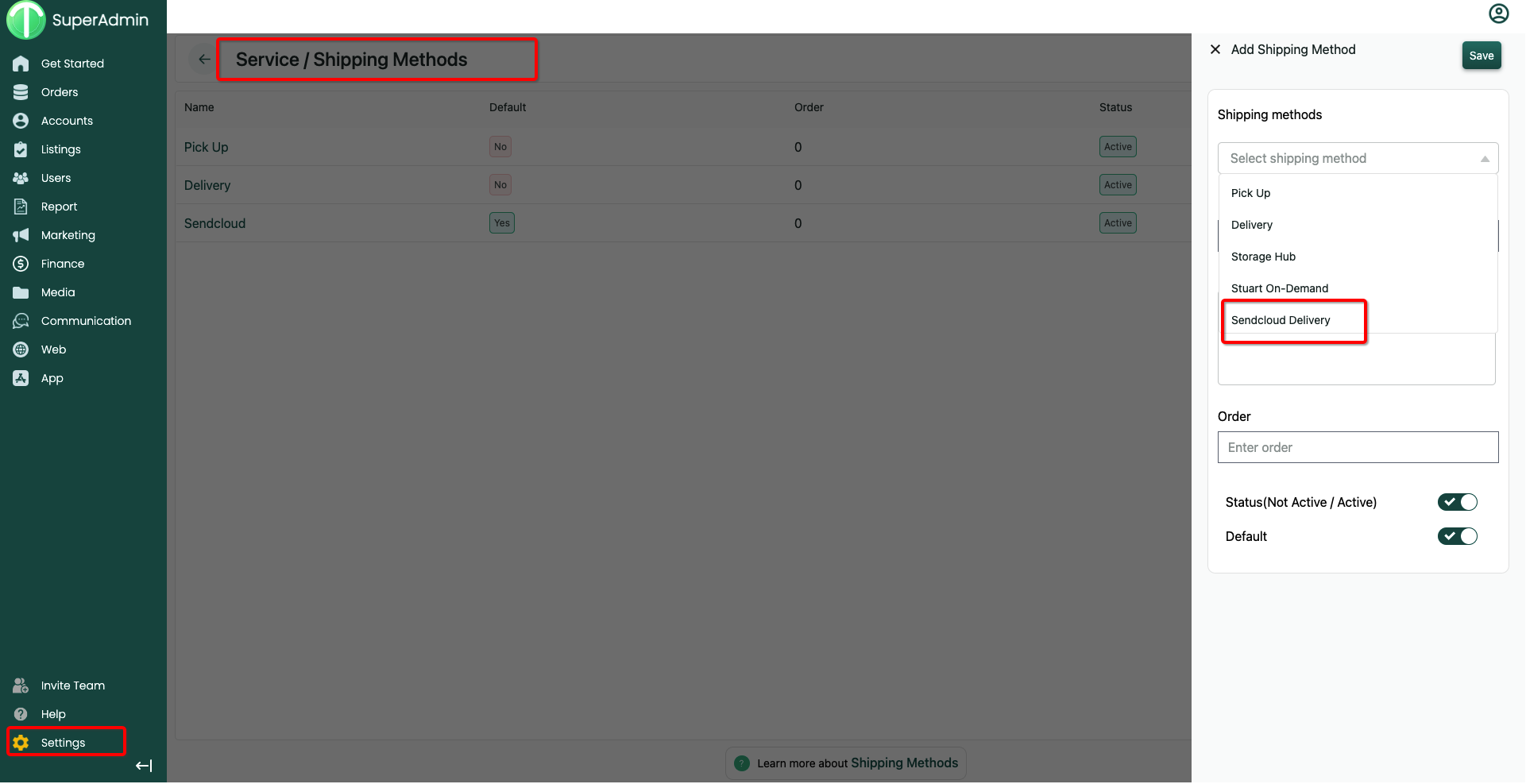
Once Added > Click 'Settings'

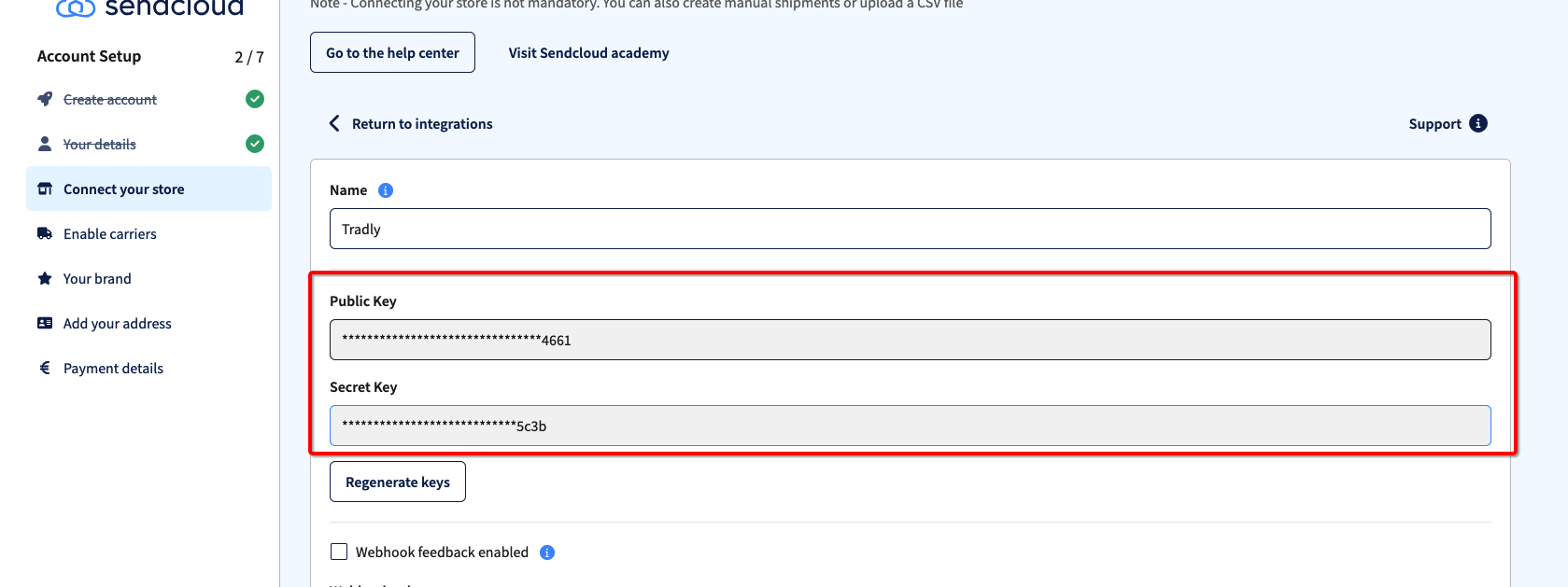
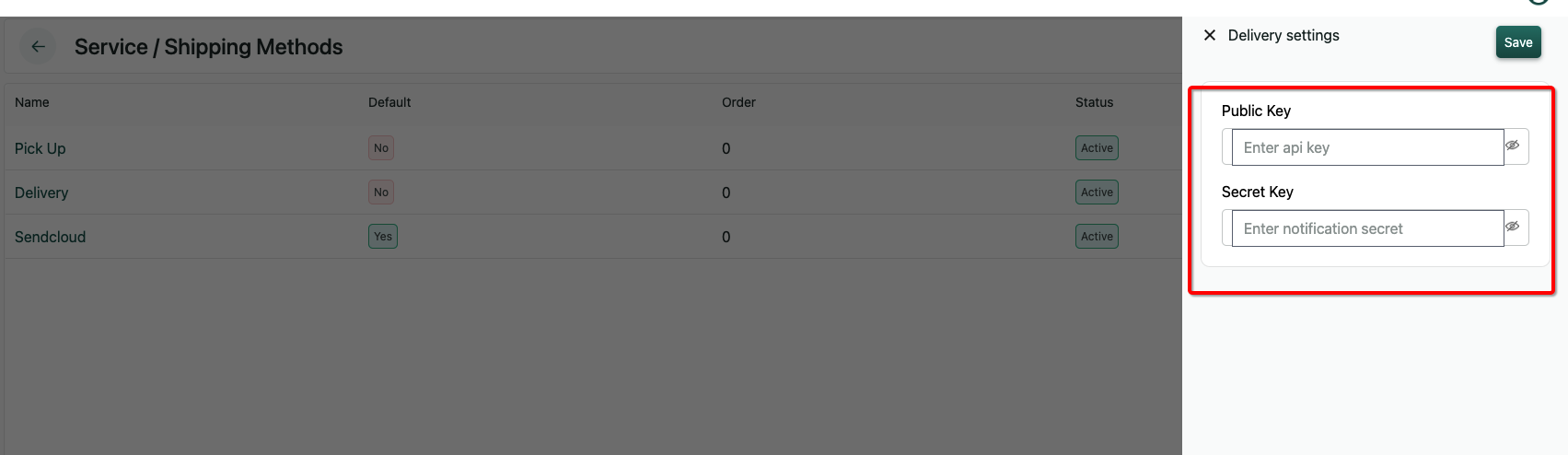
Enter the API keys copied from sendcloud Dashboard
It should look like this.
Adding Address in Sendcloud for each country and paste the address ID in Tradly Integration page
Add a valid address for each country you're supporting in sendcloud portal and get us the shipping address ID. See below the steps,
How to get Sendcloud Shipping Address ID?
Go to Setting https://app.sendcloud.com/v2/settings/account
Go to Address list. (https://app.sendcloud.com/v2/settings/addresses/sender)
Add a new address for each country.
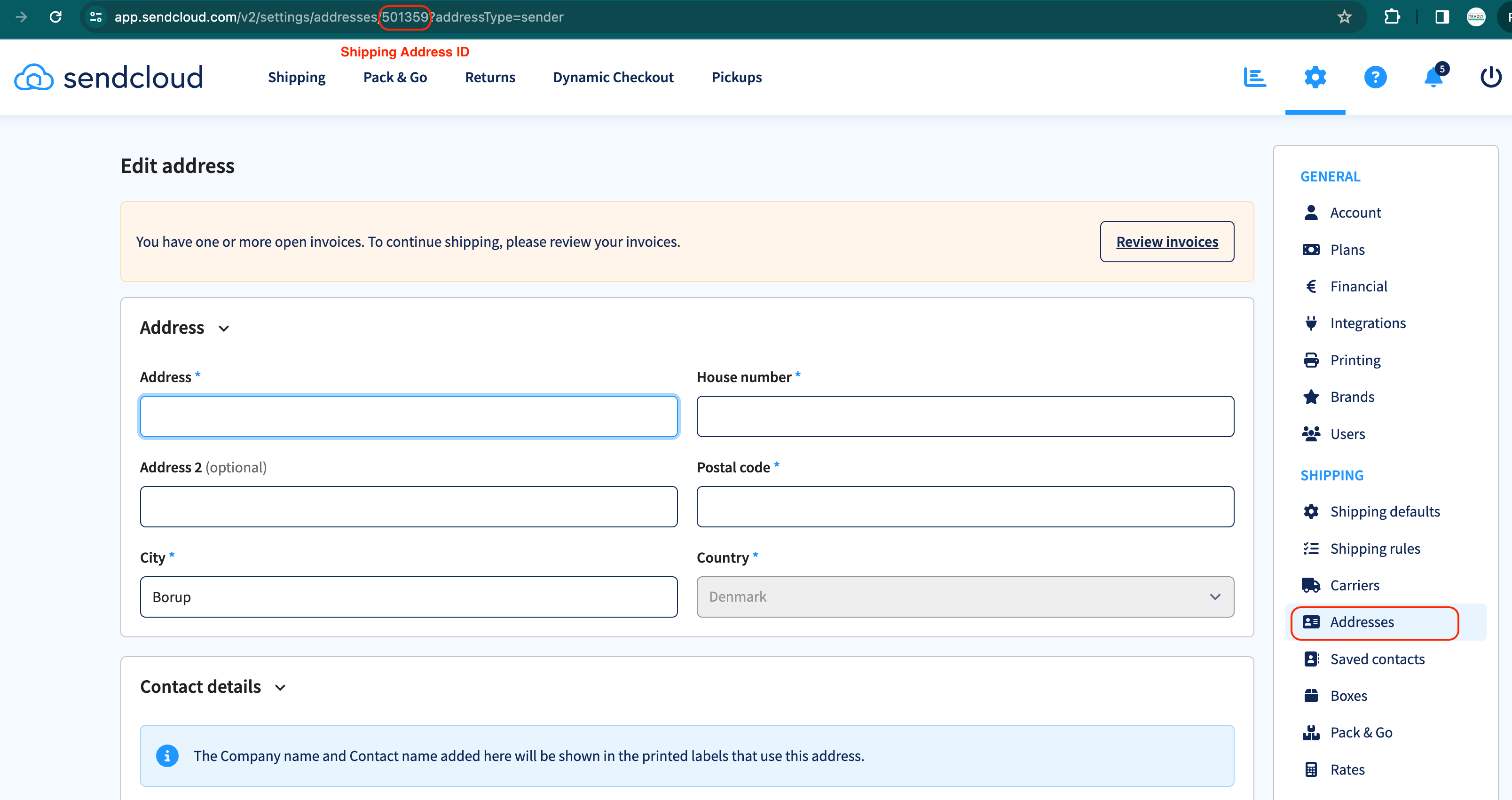
Edit the newly address. You will be able to get the address ID from URL.
Save and Go to your end user website
Add any items in the cart
Go to checkout page
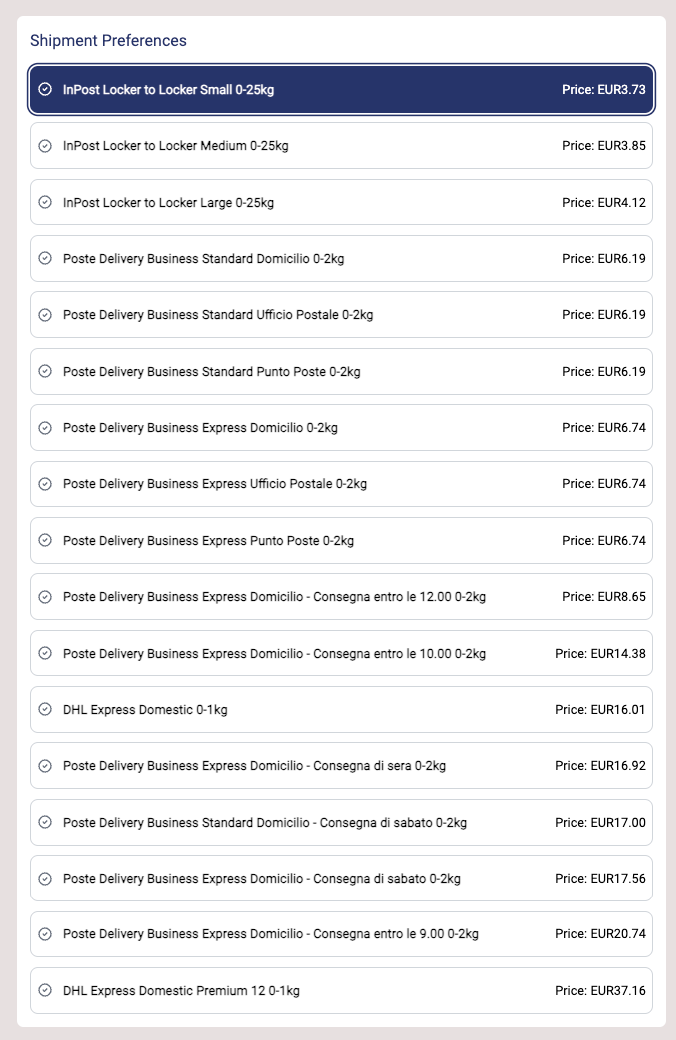
And once you added your shipment location, your user will see available shipment.

Manual Payout
Manual Payout gives SuperAdmin full control over how and when sellers or vendors receive their earnings. Instead of automated disbursements, the SuperAdmin receives the funds and distributes them manually — with complete visibility and tracking over every payout.
Prerequisites
Before using Manual Payout, two configurations must be in place:
1. Commission Setup From https://superadmin.tradly.app/commission, configure the marketplace commission rate — such as a supply commission or any custom rate the marketplace owner wants to deduct before disbursing earnings to sellers. This determines how much each seller is owed after the platform's cut.
2. Return Policy Duration From https://superadmin.tradly.app/app-customization , navigate to the Order tab and set the return window duration.
If set to 0 days, any completed order will appear in the payout list immediately after the sale.
If set to any number of days, completed orders will only appear in the payout list after that return window has expired — protecting the marketplace from disbursing funds for potentially returned orders.
How It Works
Once the prerequisites are configured and Manual Payout is enabled:
View Payout List — The SuperAdmin sees a full list of sellers with pending payout amounts, calculated after commission deduction and return policy conditions are met.
Download CSV — Export the full payout list as a CSV file to process payments externally or via a banking tool.
Edit & Mark Payments — In the CSV, the SuperAdmin can edit individual rows to record how much was paid to each account — whether a full or partial payment — and remove accounts that have been fully settled.
Re-upload CSV — Upload the updated CSV back into the system to reflect the latest payout status, keeping records accurate and up to date.
This workflow gives marketplace owners a transparent, flexible, and fully manual process for managing disbursements on their own schedule.
Accessing Manual Payout on the Workspace
After enabling this feature, users on the tradly.app workspace will see a new Apps section appear in the left sidebar. The Manual Payout interface is accessible from there, allowing the relevant team members to manage payouts directly from the workspace.
Want more Integrations?
Post your ideas and request in our community forum.