A QR code ordering system lets customers scan a code, browse a digital catalogue or menu, and place an order — without downloading an app, waiting for staff, or handling physical menus. Tradly’s marketplace platform handles the product listing, order management, and payment layer behind the QR experience.
How QR code ordering works with Tradly
- Create your listings — each product, menu item, or service is a listing with a photo, description, price, and variants (size, extras, options)
- Get your storefront URL — your Tradly marketplace has a public URL that works on any mobile browser
- Generate a QR code — point any QR code generator at your storefront URL (or a specific category/collection page)
- Print or display the code — at tables, on packaging, at the counter, in a venue programme
- Customer scans — they land on your mobile-optimised catalogue, browse, add to cart, and checkout
- You receive the order — in your SuperAdmin order management panel, with notification
No app download. No native development required. Works on any smartphone browser.
Use cases for QR code ordering
- Restaurant table ordering — customers scan at the table, order food and drinks directly without flagging a waiter
- Event merchandise — festival-goers scan a QR code at a merch stand, browse the full catalogue, and order for collection
- Hotel room service — guests scan a bedside QR code, order from the in-room dining menu
- Retail catalogue — customers in-store scan a shelf QR code to see full product details, variants, and related items
- Market stalls — traders at a farmers market or craft fair display a QR code for digital ordering during busy periods
- Conference and exhibition — exhibitors let visitors scan to browse and order products or book follow-up services
Open source QR ordering system
For teams that need to self-host or customise deeply, Tradly’s headless API and open source web app let you build a fully custom QR ordering experience:
- Fork the open source web app and customise the UI completely
- Use the Listings and Orders API to power your own frontend
- Host on your own infrastructure
What Tradly includes for QR ordering
- Mobile-optimised storefront (no separate mobile build needed)
- Product listings with photos, variants, and modifiers
- Real-time cart and checkout
- Multiple payment methods: card, mobile wallet, cash on collection
- Order notifications to operator
- Order status tracking for customer
- SuperAdmin order management — view, process, and mark orders complete
------
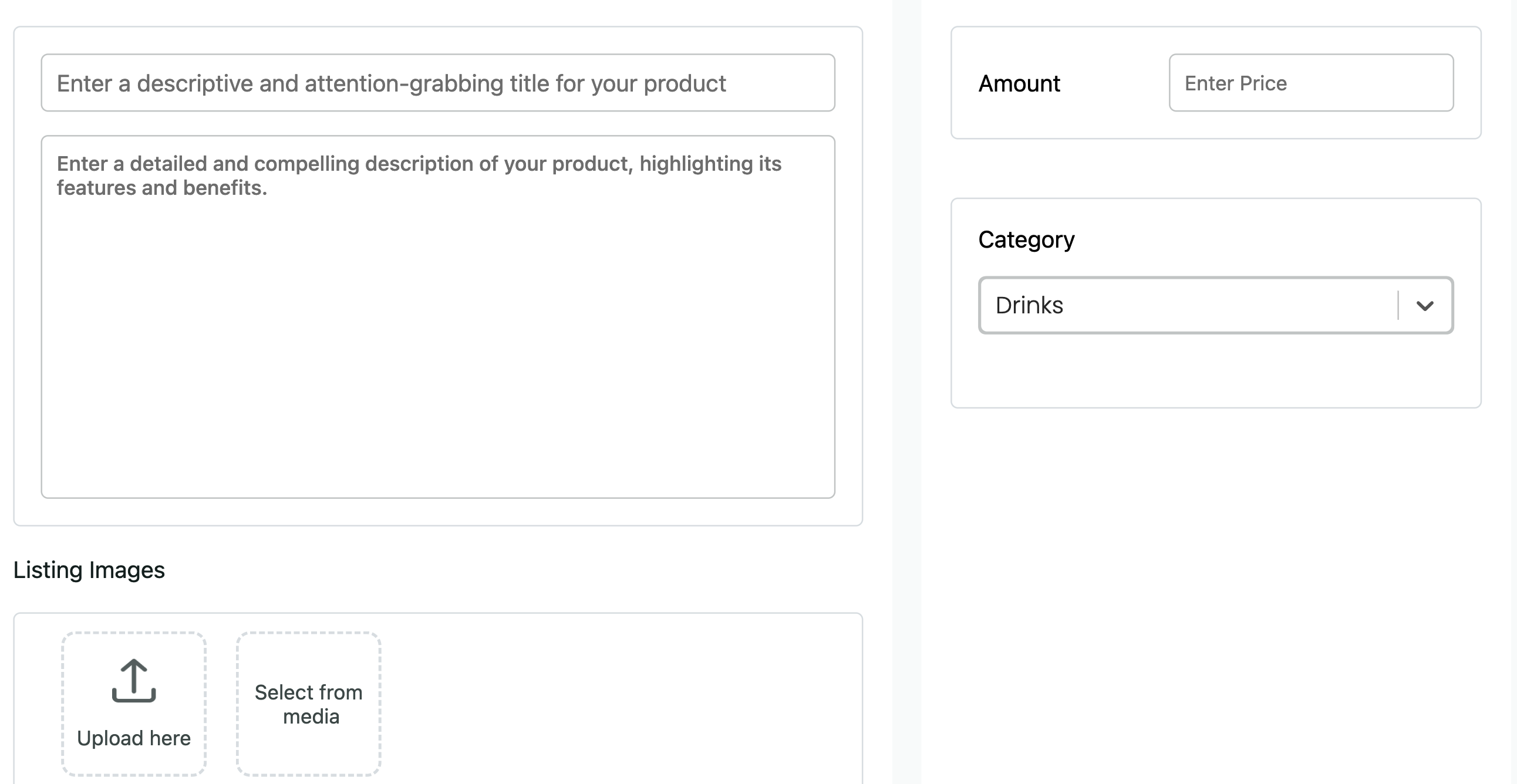
Add Products
Write your product title and description. Upload product photos or other media. Set your price, Setup Stocks limit.
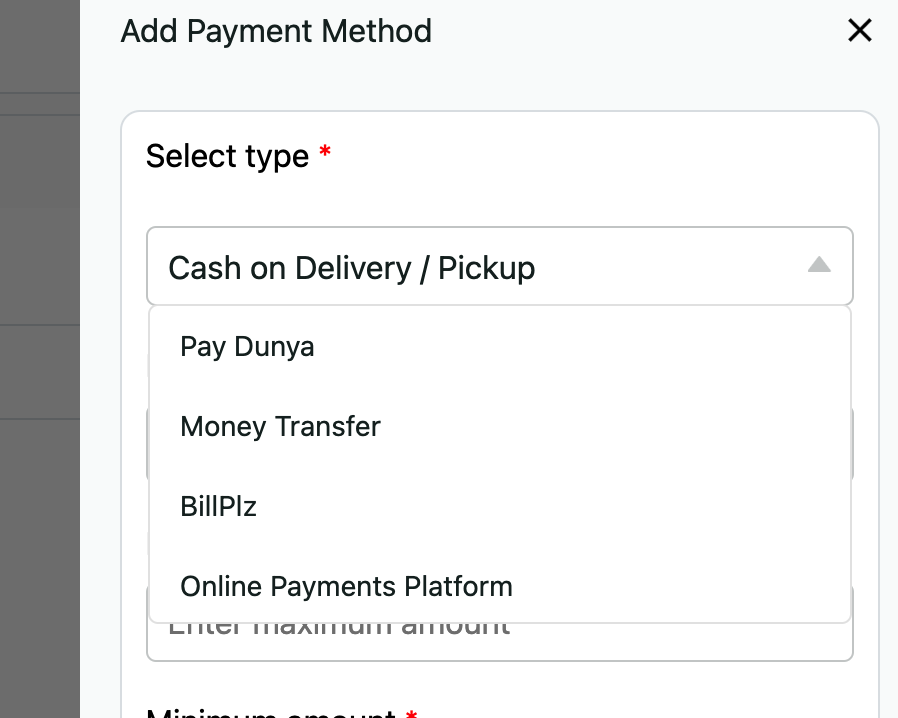
Activate Payment gateways
We support multiple payment gateways. If you are interested in implementing a custom payment gateways, let us know in the contact form.
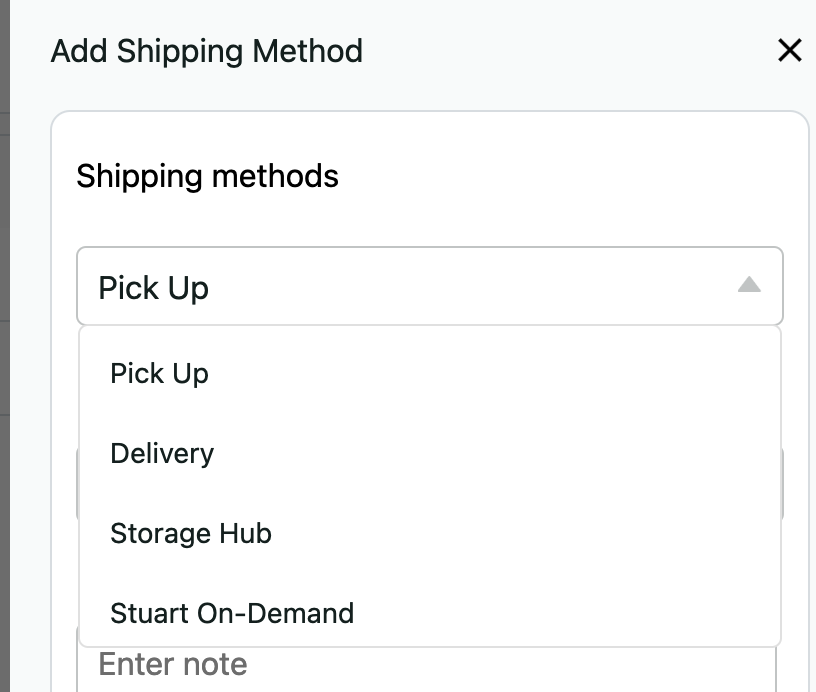
Activate Shipment options
Pick up at source
Delivery/Pick up at Storage Points
Delivery at Destination
Delivery
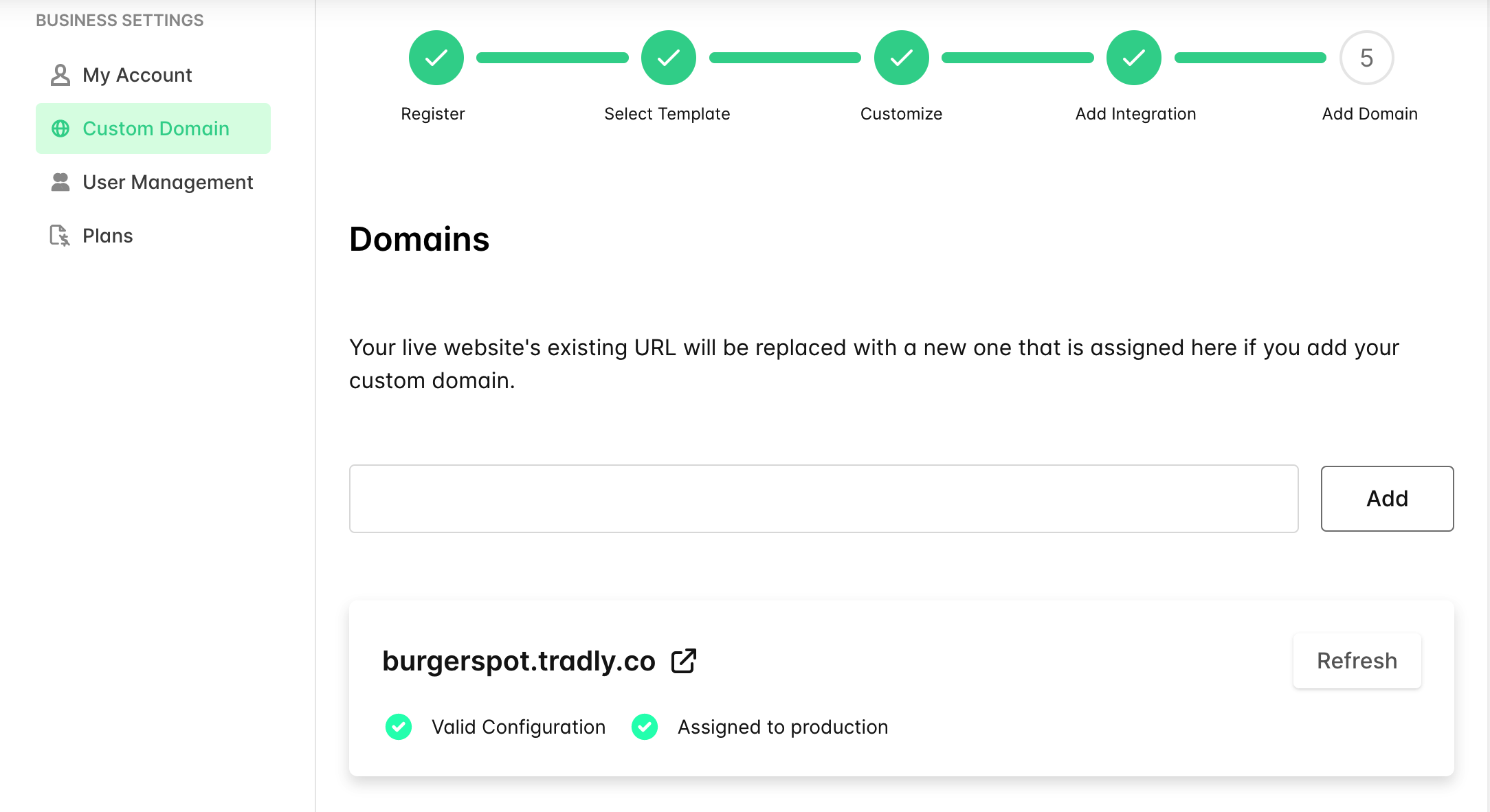
Add your custom domain
Your store is ready to start making money 🚀
QR Ordering Templates
Ordering & Commerce Templates
See AllSimple and FREE. Launch your project today!
- Launch Marketplaces, Online Storefronts, Booking Apps, Classifieds, Directories, Partner Portals, App Stores, etc.
- Tradly pricing starts with ZERO. You pay only when you grow.
- Free No-code Integrations, No-Code Editor
Checklist from start to end on what you need to build a marketplace using Tradly Platform.
Tradly Platform solution is catered to different groups separately
- For developers: Headless API solution. Using the API solution, developers can build apps on top of it.
- For no-code creators: A simple toggle based SuperAdmin Panel to configure features in the already pre-built apps (also called as storefront, front end apps, templated apps).
For developers
- Signup for a free account
- Get the API keys in the SuperAdmin > Settings > API section = Refer the API reference to start building the app
- Optionally Fork Open source app starter Kits
5 Steps for no-code creators and builders
Choose the templates Website or Mobile Apps
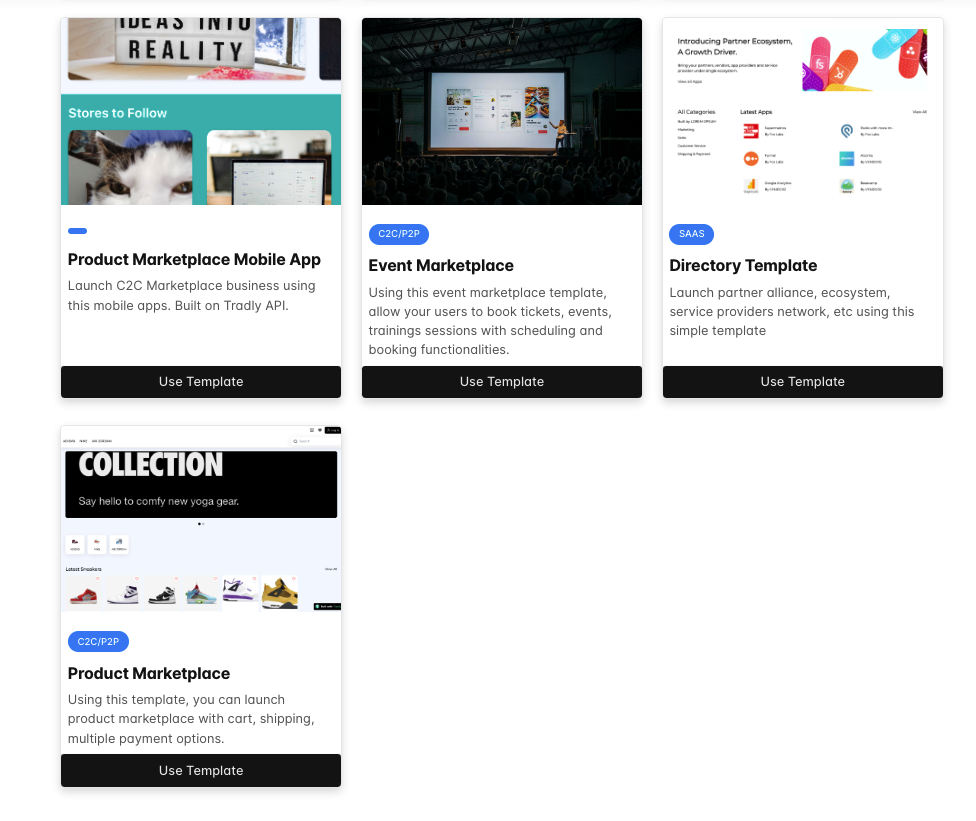
Do the branding customisation & business informations on launchpad
Prototype your app using our SuperAdmin builder and Visualise your app through test apps.
Launch
- Web App: By default when you register, you will get the production URL to use the app. And you can add custom domain.
- Mobile App: When you are ready to launch, Subscribe to our plans and get a white label app build
Advanced Informations
A. UI Customisation via SuperAdmin
Settings > App Customistion
- App Name
- App Primary & Secondary Colour
- App Icon
- Splash launch images
- Onboarding images, Onboarding Text
- Registration Text
- Sell Icon (optional)
- App title in Home Screen (Default will be app name) And others
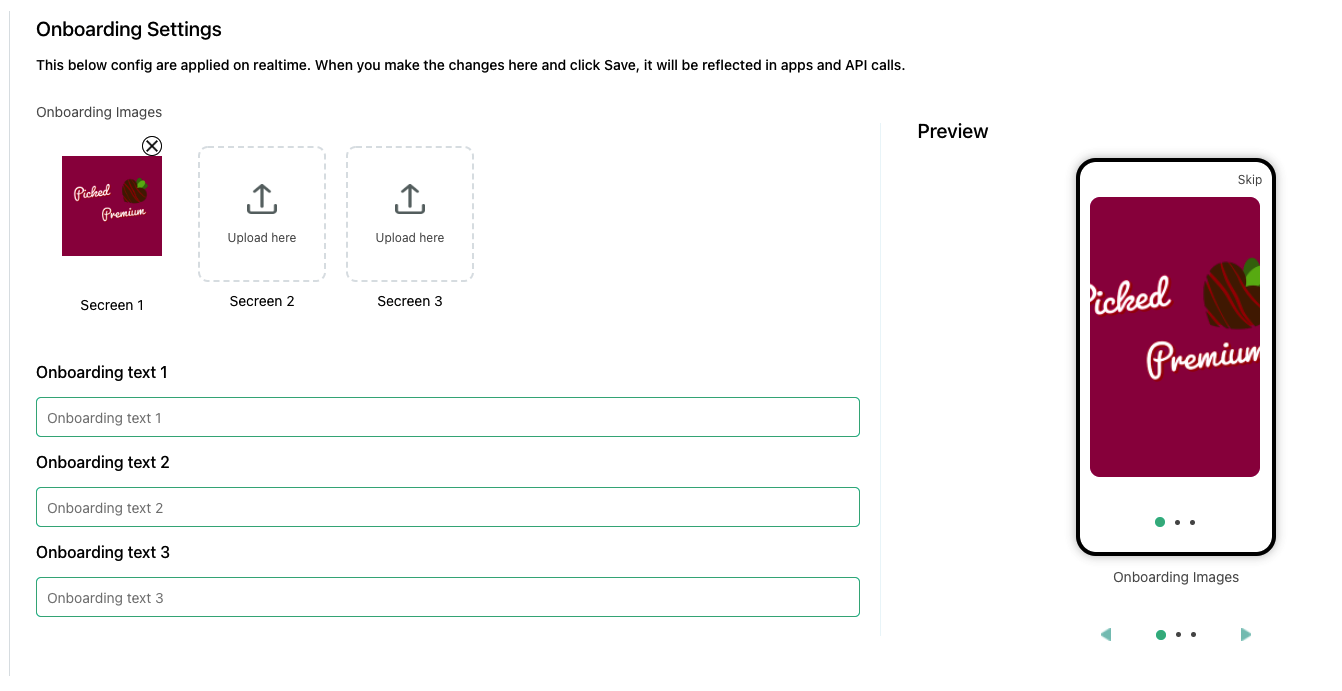
B. Platform Fundamentals
You must configure the below things for the system to be able to open accounts, submit listings and make purchases.
Configure accounts: Settings > accounts(categories, attributes)
Configure listings: Settings > listings (Setting up listings information to be collected. Categories, attributes)
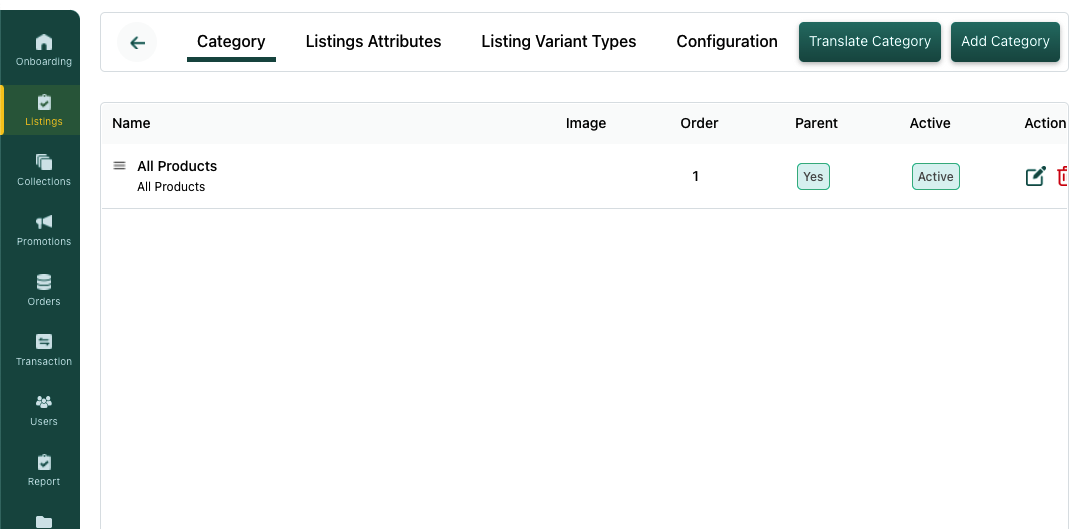
Stripe/other payment gateways configuration
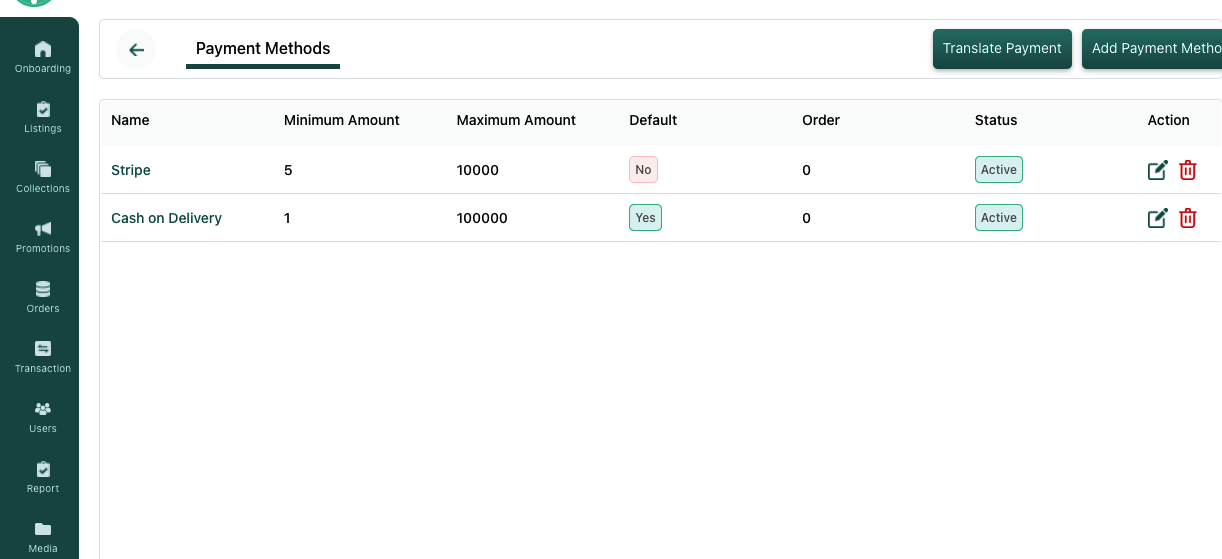
Configure revenue model, commissions: Settings > commissions OR Settings > Subscriptions OR Settings > Special Fees
C. Integrations
App integrations
- Chat setup via Firebase ,
- Optionally referral / sharing features via Branch
- Optionally later legal informations (privacy, terms, etc)
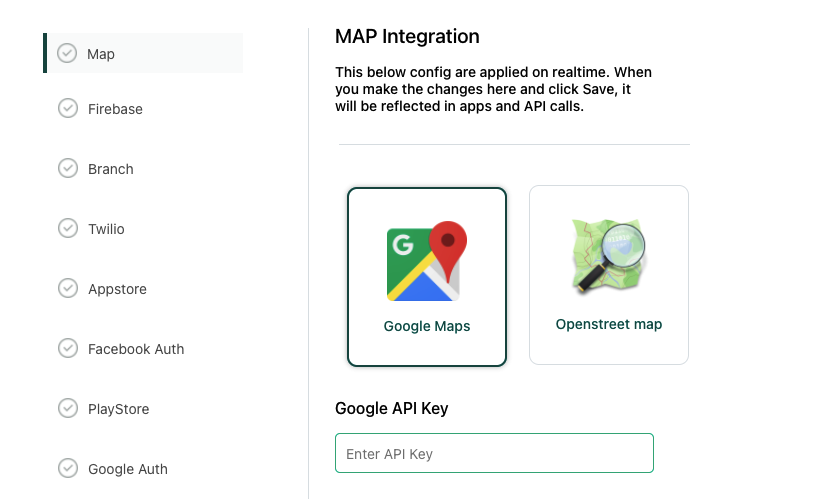
System integrations
- Configure email if you want the emails to be whitelisted
- Configure domain if you want good deliverability of emails
- Configure Google Maps if you have location specific features
Website Integrations
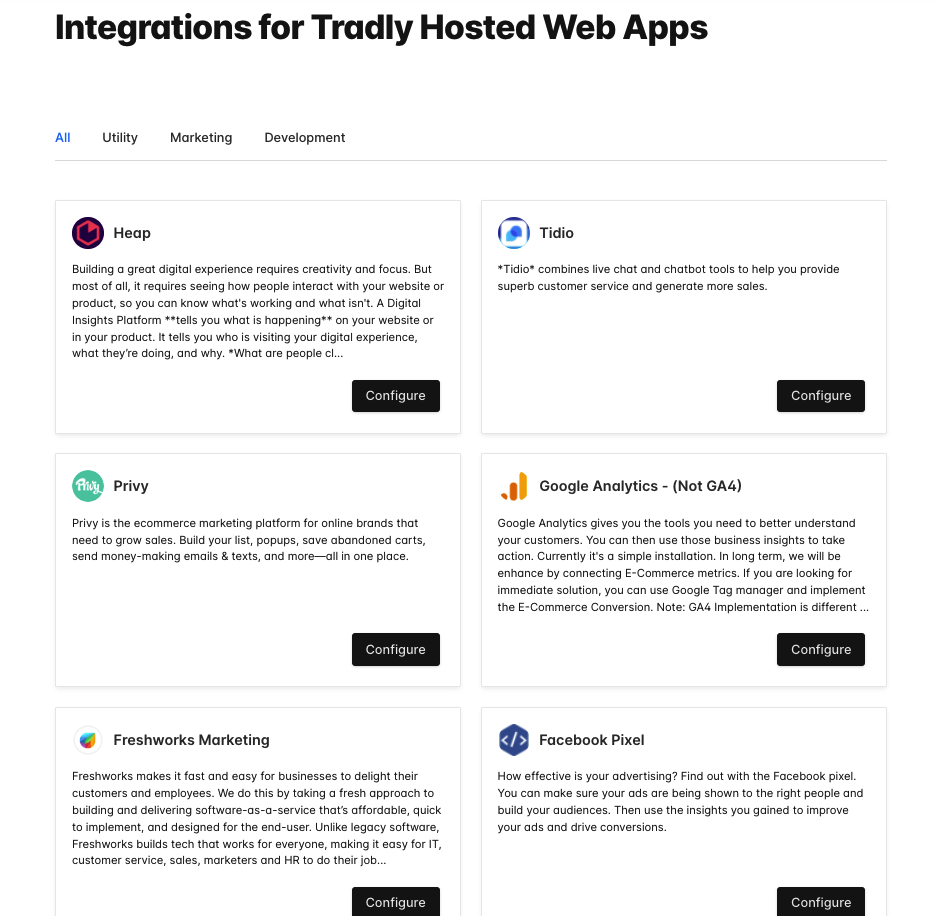 Dozens of website integrations to help you with marketing, analytics and products. [Check here](https://tradly.app/integrations)
Simple and FREE. Launch your project today!
- Launch Marketplaces, Online Storefronts, Booking Apps, Classifieds, Directories, Partner Portals, App Stores, etc.
- Tradly pricing starts with ZERO. You pay only when you grow.
- Free No-code Integrations, No-Code Editor
- More about Headless Commerce API
- Open source Repositories - iOS, Android, Web App
- Youtube Video series on how to build a marketplace
- VIDEO: Choosing the right stack and how to approach different solution
- Read: Why it’s better to use pre-built solution like Tradly
Also see: How to Create a Marketplace Website · Events Marketplace · Home Services Marketplace